
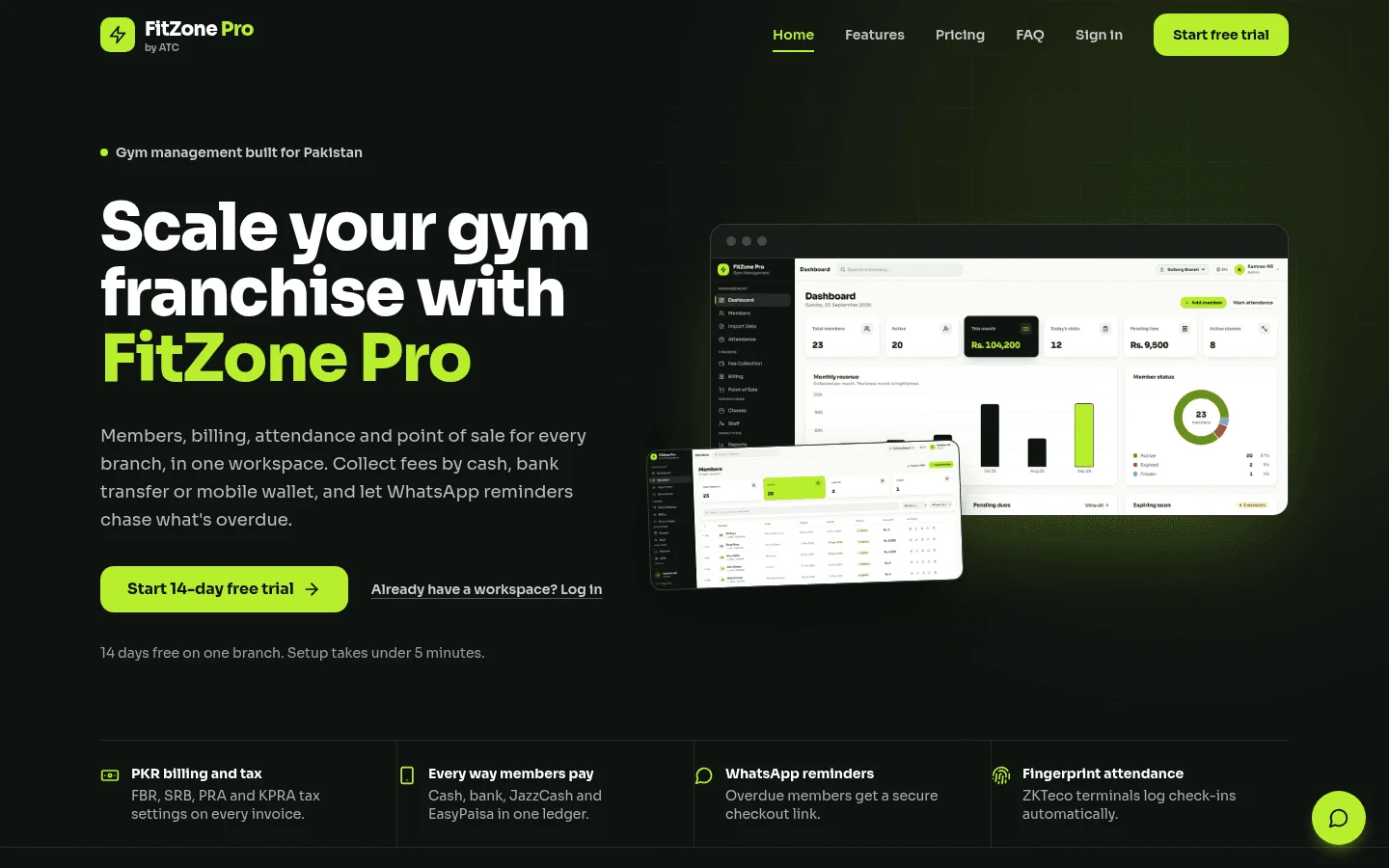
Gym software with face recognition entry has to do two jobs: read the face recognition terminal at the door, and check the member's status before the door opens. A terminal on its own only knows a face. The software knows whether that person has paid. FitZone Pro links ZKTeco face and fingerprint terminals to member records, fees and renewals, so an expired or unpaid member can be refused without anyone at the desk. Confirm the exact terminal models with Treevoxa through the contact page before you buy hardware, because support depends on model and firmware.
This guide stays neutral on method. It covers face recognition vs fingerprint and QR, cost per door, offline behaviour, enrolment and privacy law. It ends with who owns the data and the code.
1Which gym software works with face recognition entry?
Any product that does the job must link three things: the terminal, the member record and the billing status. If it only logs entries, it is attendance software. If it opens or refuses the door based on fees and renewals, it is gym door access control.
Check three things when you shortlist:
- Named terminals. The vendor should list the models and firmware it works with, in writing.
- Status in the loop. Expired, unpaid and frozen members should be handled by rules, not by someone watching a screen.
- One member record. The face, the plan, the payments and the entry log should sit in one profile, not three systems.
FitZone Pro works with ZKTeco face and fingerprint terminals. The detail is on the ZKTeco gym software page. Treevoxa will confirm which models fit your doors before you order anything.
2How does face recognition entry work in a gym?
The flow is similar whichever product you choose, and it depends on face recognition terminals at the door:
- Enrolment. The member stands at the terminal. The device captures a face and turns it into a template, which is a set of numbers, not a photo.
- Storage. The template is stored, usually on the terminal. Some systems also keep it on a server.
- Match. At the door, the terminal compares the live face with its stored templates.
- Event. The terminal sends the result (member ID, time, door) to the software.
- Decision. The software checks the member's status: active, expired, frozen, unpaid. It tells the door to open or stay shut.
Where the template lives matters. On the device, matching is fast and keeps working if the network drops. But you have terminals to manage, wipe and replace. On a server, syncing across branches is easier. But you hold a central store of biometric data, which raises your legal and security burden.
Ask every vendor which model they use. "It's in the cloud" is not an answer.
3What should the software do when a membership expires?
The terminal recognises a face. The software decides whether that face is allowed in today.
Look for these behaviours in any product, FitZone Pro included:
- Automatic block on expiry or unpaid dues, with no staff action.
- A grace period you can set, for example a few days after expiry, so a regular isn't turned away on the morning their card fails.
- Freeze and holiday status, so a paused member can't enter but keeps their profile.
- Front-desk override that records the staff member's name and a reason. If overrides leave no trail, they become the new loophole.
- Fast reopening. When someone renews at the desk, access should return within minutes.
Vendors like to quote revenue lost to unmanaged access. One UAE vendor page, GymViz, talks of gyms losing 15–25% of revenue. That is a vendor claim with no method shown. Measure your own: count how many people entered last month on an expired plan.
Our guides cover the billing side in more depth: linking biometric attendance to gym membership fees and a gym dues recovery playbook. You can also browse all guides.
4Face, fingerprint or QR: which is best for a gym?
None wins everywhere. Many gyms run face as the main method with a PIN or QR fallback. The table reflects general patterns and common failure causes, not test results. Your doors and your members will differ.
| Face | Fingerprint | QR code | |
|---|---|---|---|
| Speed | Fast, usually walk-up | Fast when the finger reads first time | Fast, but needs a phone out |
| Hygiene | Touchless | Shared touch surface | Touchless |
| Typical failures | Poor lighting, bad angle, glare at the entrance | Sweaty, dry or worn fingers | Dead phone, cracked screen, no signal |
| Sharing risk | Low, if liveness detection is on | Low | High: screenshots and forwarded codes |
| Privacy burden | High: biometric data | High: biometric data | Low |
| Cost | Mid to high terminal cost | Low to mid | Lowest hardware cost |
On face recognition vs fingerprint, face suits busy doors because members don't have to stop. But entrance design matters. A terminal facing a bright window, or mounted too high, will cause false rejects whatever the software says.
Fingerprint readers cope with poor light but can struggle with gym hands. Sweat, dry skin and chalk are the usual causes of failed reads.
QR is cheap and carries no biometric legal burden. But codes are easy to share. If you use it, rotate the codes and tie them to a single device.
Liveness detection, sometimes called anti-spoofing, is the terminal's check that it is looking at a live person, not a photo held up on a phone. Ask whether the model you are buying offers it and how it is switched on. It may be a setting, or it may depend on the model. Be wary of headline accuracy figures such as "99.9%", like the one on FaceFit. They rarely say how they were measured.
On masks, twins and poor light, results vary by device. Test with your own members at your own door. Where two members look alike, a PIN as a second factor is a sensible safeguard.
5How much does face recognition entry cost per door?
One commonly quoted range for a gym access system is $1,000 to $5,000 per door. We don't know exactly what that source includes. Most of the spread comes from turnstiles. A simple electric lock is cheap. A turnstile is not.
The table below is our own planning estimate. It is not a quote and not taken from a price list. Prices vary by country, installer and model, so get local quotes. For hardware price guidance, Swiftlane publishes a 2026 cost guide for face recognition door locks. Conversions use USD 1 = £0.75 and AED 3.67, with GBP rounded to the nearest £10 and AED to the nearest 50.
| Item (per door) | USD | GBP | AED |
|---|---|---|---|
| Face terminal | $300–$900 | £230–£680 | AED 1,100–3,300 |
| Electric lock, power supply, exit button | $100–$400 | £80–£300 | AED 350–1,450 |
| Turnstile (replaces the lock row) | $1,000–$3,000 | £750–£2,250 | AED 3,650–11,000 |
| Installation and cabling | $150–$600 | £110–£450 | AED 550–2,200 |
| Door with lock (terminal + lock + install) | $550–$1,900 | £410–£1,430 | AED 2,000–6,950 |
| Door with turnstile (terminal + turnstile + install) | $1,450–$4,500 | £1,090–£3,380 | AED 5,300–16,500 |
| Software licence | Quoted separately | ||
| Per-branch extras (spare terminal, network switch, battery backup) | Quoted separately |
The low end sits below the $1,000 figure quoted above because it assumes a basic terminal and a simple door.
Worked example 1: a one-door studio. One terminal and one lock: roughly $550–$1,900 (£410–£1,430, AED 2,000–6,950) in hardware and fitting, plus software.
Worked example 2: three branches, two doors each. Six doors with locks: roughly $3,300–$11,400 (£2,480–£8,550, AED 12,100–41,850), plus the extras above and software. If a branch needs a turnstile at reception, use the turnstile row for that door.
For software costs, see the pricing page, or use the software cost calculator if you need something custom. Cheap hardware that the software doesn't support is the costliest mistake, so check support first.
6Is face recognition legal or GDPR-compliant in a gym?
Often yes, but with conditions that vary by country. This is not legal advice. Check with a local adviser before you install. Laws and regulator guidance change. This section reflects the position as we understand it at the time of writing, in October 2026.
Face data used to identify a person is biometric data. In many places it falls into a special category with stricter rules than ordinary member details. Handling biometric data in a gym is therefore a legal question as well as a technical one.
- UK. The ICO's guidance on processing biometric data lawfully says that where you rely on explicit consent, it must be freely given. It uses a gym using face recognition for entry as an example: consent is not freely given unless members have an alternative. The ICO also expects you to show that biometrics are necessary and proportionate. In our reading, a gym would struggle to argue face recognition is strictly necessary when a card or PIN does the job. That is why a genuine alternative matters.
- EU. GDPR Article 9 restricts processing biometric data to identify a person unless a specific condition applies. Explicit consent is the condition most often discussed for gyms, which again points to a genuine alternative. Some member states add their own rules.
- US. Illinois' BIPA requires written notice, a written release, and a publicly available retention and destruction policy. It has produced heavy class-action litigation. If you have members in Illinois, treat it seriously. Other states and cities have their own biometric rules.
| Market | What to do | Status |
|---|---|---|
| UK | Offer a PIN, card or similar alternative. Document why you use biometrics and your lawful basis. | Per ICO guidance |
| EU | Check Article 9 conditions. If using explicit consent, offer an alternative. Check national rules. | Per GDPR; verify locally |
| US (Illinois) | Written notice, written release, published retention and destruction policy. | Per BIPA; verify with counsel |
| UAE | The federal data protection law (PDPL) applies, and free zones such as DIFC and ADGM have their own regimes. As we understand it, biometric data is treated as sensitive. | Not confirmed by us; verify with local counsel |
| Australia | The Privacy Act 1988 treats biometric information used for identification as sensitive information, which generally needs consent. | Not confirmed by us; verify with local counsel |
| Singapore | The PDPA applies. Expect consent, notification and purpose-limitation duties, plus regulator guidance on biometric data. | Not confirmed by us; verify with local counsel |
We have not checked the UAE, Australian or Singapore rows against current legal texts. Treat them as pointers for a conversation with local counsel, not as settled answers.
What if a member refuses to give face data?
Offer an alternative with no penalty: a PIN, card, QR code or fingerprint. Don't charge extra or restrict their hours.
Record the choice in the member profile, so staff don't enrol them later out of habit. On cancellation, delete their template from the terminal and any server, and note when you did it.
7What happens when the terminal goes offline?
Terminals usually keep templates locally, so they can often still match a face and open the door when the network or server is down. That is a strong reason to prefer device storage.
The catch is that expiry rules may be out of date until the link returns. A member who lapsed this morning may still get in. A member who renewed may be refused until sync resumes. Decide which error you prefer: lenient for regulars, or strict at the cost of a few annoyed members.
Plan for it:
- Queued event logs. The terminal should store entries and send them when it reconnects. Ask how many it can hold.
- Scheduled sync. Templates and status should refresh on a schedule, not only when someone edits a record.
- A fallback. A staff key, desk override or manual release for the day a terminal dies.
- Power cuts. A small battery backup, and a decision about whether the door fails open or shut. Local fire regulations usually govern this, so agree it with your installer and check the rules where you operate.
- A spare terminal per branch, pre-configured.
Behaviour differs by model and firmware, so ask for each terminal you plan to use. Don't assume.
8How do you enrol existing members?
Migrate the member list first, then enrol faces. If you enrol before the records are clean, you will attach templates to duplicates. FitZone Pro includes member import and migration, so existing members can be loaded rather than retyped.
Enrolment itself takes seconds per person at the desk. Add an optional profile photo if you want staff to see who has checked in.
Expect a rush in the first fortnight. Stagger it: enrol by membership type, or by day of the week, rather than everyone at once on launch day.
Check lighting at enrolment. A face enrolled under harsh light may not match well under the dim light at the door. Enrol where the lighting is similar to the entrance, and run a test entry before the member leaves.
9Does it work for several branches and 24/7 gyms?
For chains, one dashboard should run all branches. FitZone Pro has a multi-branch dashboard. Whichever multi-branch gym software you choose, look for:
- One member record, valid at the branches you choose. A member at the flagship can use the satellite studio, or not, depending on the plan.
- Template sync across branches, so a member enrolled at one site is recognised at another. Ask how often it runs.
- Per-branch reports for entries, peak times and overrides.
- Access rules per branch, such as different opening hours.
- Staff permissions, so a front-desk worker at one site can't edit another site's records.
On an unmanned 24/7 gym, face recognition makes entry possible but not safe on its own. You also need CCTV, an intercom to a person, a working emergency exit and clear signage. Vendors often promise large staffing savings. Fitness GM, for example, cites up to 40% lower staffing costs. That is a vendor claim. Test it against your own rota, insurance and local rules.
10Who owns the data and the code?
Few vendors address this, so ask before you sign.
- Where do templates live? Device, vendor cloud, or your own server?
- Can you export member records, access logs and photos in a usable format?
- What happens if you leave? Is your data deleted, handed over, or held?
- Can you run the software yourself if the vendor changes terms or closes?
Treevoxa offers a source-code option with FitZone Pro: you buy the code and host it yourself. Read more on ready-made software with source code. Whether that suits you depends on whether you want to maintain software or pay someone to.
11A buyer's checklist before you sign
Put these to every vendor.
| Check | What a good answer looks like |
|---|---|
| Supported terminals | Named models and firmware, confirmed in writing |
| Status-based blocking | Expired, unpaid and frozen members are refused automatically |
| Override logging | Every desk override has a name, time and reason |
| Offline behaviour | Clear answer on matching, log queueing and sync |
| Liveness detection | Available on the model, with a plain explanation of how it works |
| Alternative entry method | PIN, card or QR available with no penalty |
| Data location | Templates on device, server or cloud, stated clearly |
| Retention and deletion | Written schedule; deletion on cancellation |
| Multi-branch sync | Templates and status shared across sites |
| Export rights | Members, logs and photos exportable |
| Total cost per door | Terminal, lock or turnstile, fitting, licence and extras in one figure |
If a vendor can't answer a row in plain words, treat that as the answer.
12Choosing gym software with face recognition entry
Good gym software with face recognition entry does more than recognise a face. It checks the member's status, handles offline moments, offers a real alternative to biometrics and shows you where the data lives. Start with named terminals, a clear cost per door and a written privacy position, then test at your own entrance before you roll out to every branch.