
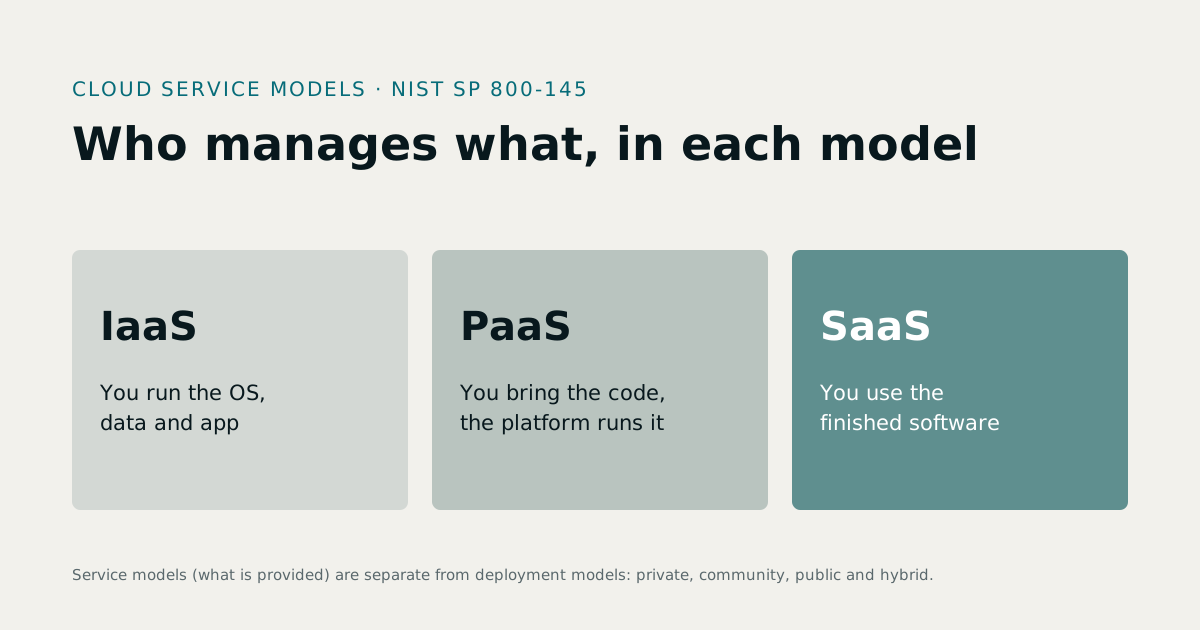
Cloud service models describe how much of the technology stack a provider manages for you. The NIST Definition of Cloud Computing (SP 800-145) sets out three: infrastructure as a service (IaaS), where you rent computing, storage and networks and manage everything above them; platform as a service (PaaS), where you deploy your own code onto a platform the provider runs; and software as a service (SaaS), where you simply use the provider's finished software. If you are building a software product of your own, see our SaaS product development service.
1IaaS, PaaS and SaaS explained
| IaaS | PaaS | SaaS | |
|---|---|---|---|
| You get | Virtual servers, storage, networks | A managed platform to run your code | Finished software, ready to use |
| You manage | Operating system, runtime, data, application | Your application and its data | Your settings, users and data |
| Provider manages | Hardware, virtualisation, the data centre | Everything below your application | Everything |
| Typical buyer | Infrastructure and DevOps teams | Development teams | Business users |
| Examples of use | Running a database server you configure yourself | Deploying a web app or API from a code repository | Email, accounting, HR or CRM software |
NIST's definition also lists five essential characteristics that make something "cloud": on-demand self-service, broad network access, resource pooling, rapid elasticity and measured service. And it separates service models from deployment models: private, community, public and hybrid clouds.
2Infrastructure as a service
With IaaS, you rent the building blocks: virtual machines, disks, networks and load balancers. You install and patch the operating system, run the database, configure security, and deploy the application.
Choose IaaS when you need full control over the environment, have unusual software or compliance needs, or operate at a scale where managing your own servers is cheaper, and you have the people to do it.
3Platform as a service
With PaaS, you bring the code and the platform does the rest: builds, servers, scaling, patching and often the database. Many modern web apps run this way, deploying straight from a code repository.
Choose PaaS when you want your developers to spend their time on the product, not on servers. It is the usual choice for new web applications, APIs and SaaS products.
4Software as a service
With SaaS, the provider runs everything and you use the software through a browser or app, usually for a monthly fee per user or per company. Most business software is now bought this way: accounting, HR and payroll, CRM, point of sale.
Choose SaaS when a product already fits your process. It is the fastest and cheapest way to start, and upgrades, security patches and backups are the provider's job. Our own products, such as MatrixHR and PharmaFlow, are sold as SaaS.
5SaaS vs PaaS vs IaaS: how the cost differs
- SaaS costs a subscription that grows with users or usage. No engineers are needed to run it, but you are limited to what the product does.
- PaaS costs platform fees that grow with traffic, plus the developers who build your application.
- IaaS costs rented capacity, plus the people who run the servers, the database, the backups and the security.
At small scale, SaaS and PaaS usually cost less in total because they replace people's time. At large scale, IaaS can be cheaper per unit of capacity, if you have the team. Compare total cost, including staff time, over three to five years.
6Most businesses use all three
A typical company uses SaaS for email, accounting and HR; PaaS to run its own website, customer portal or API; and sometimes IaaS for a database or a legacy system that needs full control. The question is not which model to choose, but which model fits each system.
7If you are building a SaaS product
When you build software to sell as a service, you are on both sides of the line. You are a PaaS or IaaS customer of a cloud provider, and a SaaS provider to your own customers. That brings responsibilities your customers will ask about:
- Separate data for every customer, enforced in the application and the database.
- Backups and recovery you have actually tested.
- Security: access control, encryption in transit, logging and patching.
- Uptime and support commitments you can keep.
- Data protection under the laws that apply to your customers.
Our guide to custom software vs SaaS covers the buy-or-build decision from the customer's side, and SaaS product development covers building one.
8Cloud deployment models
Service models describe what the provider manages. Deployment models, also defined by NIST, describe who the cloud is for:
- Public cloud: open to the general public, run by a cloud provider.
- Private cloud: for one organisation, run by it or by a provider on its behalf.
- Community cloud: shared by organisations with common concerns, such as a sector with the same compliance needs.
- Hybrid cloud: two or more of these, bound together so data and applications can move between them.
Most small and mid-size businesses use the public cloud, often through SaaS products and a PaaS for their own software. Private and hybrid clouds tend to appear in larger organisations with specific regulatory or legacy needs.
9The shared responsibility idea
In every model, security is shared between the provider and the customer, and the line moves with the model. With IaaS, you are responsible for patching the operating system, configuring the network and protecting your data. With PaaS, the provider patches the platform, and you secure your code and data. With SaaS, the provider secures almost everything, and you are responsible for who has access and what you put in. Whatever the model, your data, your users and their permissions remain your responsibility.
10Choosing a model for a new system
- Is there a SaaS product that fits? If yes, start there; it is the fastest and cheapest route.
- If not, can your software run on a PaaS? For most web apps and APIs, yes, and your developers can focus on the product.
- Do you need IaaS? Only for unusual software, specific compliance needs, or a scale where managing servers yourself saves money.
Our guide to custom software development cost explains how the build itself is priced once you know which model you will run on.
11Examples in a typical company
| System | Usual model | Why |
|---|---|---|
| Email and documents | SaaS | Standard needs, no reason to run it yourself |
| Accounting, HR and payroll | SaaS | Products fit most businesses; updates for rule changes are the vendor's job |
| Company website | PaaS or SaaS | Fast to deploy, little to maintain |
| Customer portal or internal system you built | PaaS | Your code, without managing servers |
| A legacy application that needs a specific server setup | IaaS | Full control over the environment |
| Backups and file archives | Storage from an IaaS provider | Cheap, durable storage |
12Moving an existing system to the cloud
Moving an on-premise system is rarely a single step. The usual options, from least to most change, are: move it as it is onto rented servers (IaaS); adjust it to run on a managed platform (PaaS); or replace it with a SaaS product or a rebuilt system. Moving as-is is fastest but keeps all the old maintenance; replacing it costs the most up front but removes the most work later. Decide per system, starting with the one that costs the most to keep running today.
13Questions to ask any cloud provider
- Which parts of the stack do you manage, and which do we?
- Where is our data stored, and can we choose the region?
- How do we export our data if we leave?
- What happens during an outage, and how are we told?
- How does the price change as we grow?
Sources
- NIST SP 800-145, The NIST Definition of Cloud Computing — last verified 23 October 2026
Rates, thresholds and rules change. Confirm current figures with the issuing body or your advisor before relying on them.