
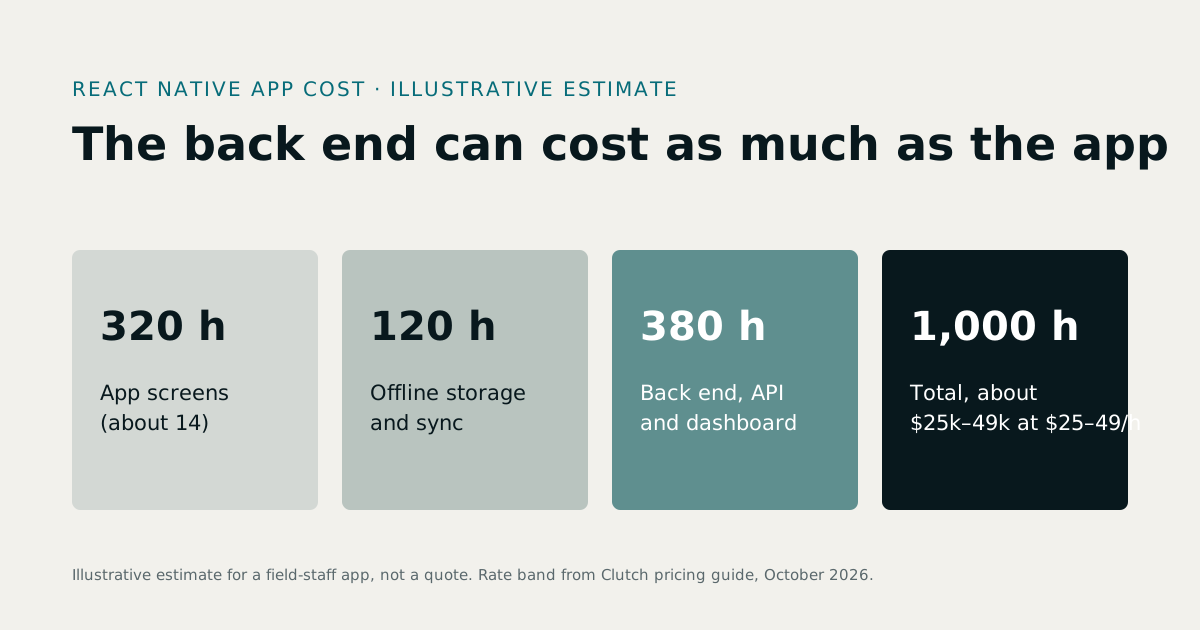
React Native app development cost depends mostly on three things: how many distinct screens the app has, whether it must work offline, and whether the back end it talks to already exists. Our illustrative estimate for a typical business app below comes to about 1,000 hours, or $25,000 to $49,000 at the $25 to $49 an hour that Clutch's October 2026 guide says most development companies charge. An app built on an existing API can cost a fraction of that. If you are ready to scope one, see React Native app development. The same drivers apply to mobile app development cost in general, whichever framework you choose.
1Why React Native changes the cost
React Native builds an iOS app and an Android app from one JavaScript or TypeScript code base. With Expo, builds, device features and over-the-air updates are handled by one toolchain. For a business app that means:
- One build, two stores. Most screens and logic are written once.
- One fix, two apps. Bugs are fixed once, and small fixes can ship without a store review.
- Shared skills with the web. The same developers can work on a React or Next.js web app.
It does not halve the cost of two native apps exactly: design, testing on both platforms and store releases still happen twice, and unusual native features need platform-specific code.
2A worked estimate for a React Native business app
An illustrative example, not a quote: a staff app for a company with field workers. Staff sign in, see their jobs for the day, record work with photos, capture a signature, and sync when they are back online. Managers approve work from a small web dashboard.
| Item | Hours (estimate) |
|---|---|
| Discovery, user flows and a clickable prototype | 70 |
| App: sign-in, job list, job detail, photos, signature, profile (about 14 screens) | 320 |
| Offline storage and sync with conflict rules | 120 |
| Back end: API, roles, jobs, files, notifications | 260 |
| Manager web dashboard | 120 |
| Testing on iOS and Android devices | 70 |
| Store listings, review submissions and launch | 40 |
| Total | 1,000 hours |
At $25 to $49 an hour that is $25,000 to $49,000; at the $50 to $99 typical of US firms, $50,000 to $99,000. Notice that the back end and dashboard are 380 of the 1,000 hours. If your company already has an API the app can use, the same app could need closer to 600 hours.
3What drives the hours
- Distinct screens. Each screen with its own layout, data and states (loading, empty, error) adds design and build time.
- Offline support. Caching data, queuing actions and resolving conflicts when two people changed the same record is real engineering.
- Device features. Camera, files, location, biometrics, Bluetooth hardware and background tasks each add work and testing.
- Integrations. Payment providers, maps, calendars, your ERP or CRM.
- Roles and permissions. A staff app with three roles needs more screens and checks than a single-role app.
- The back end. Building the API, database and admin tools can match the cost of the app itself.
- Design. A standard, clean interface costs less than a heavily custom brand design.
4Flutter app development cost
Flutter also builds iOS and Android apps from one code base, in Dart, drawing every pixel itself. For the same app, the hours are broadly similar. Choose between them on other grounds:
| React Native | Flutter | |
|---|---|---|
| Language | JavaScript or TypeScript, shared with React web apps | Dart |
| Look and feel | Native platform components | Its own rendering, identical on both platforms |
| Best when | Your team writes JavaScript, or the app shares logic with a web app | The design is highly custom or animation-heavy |
Our own products ship React Native apps, which is why we know its costs well. See Flutter app development if you are leaning that way.
5Costs after launch
- Store accounts. Apple's and Google's developer programme fees.
- Hosting for the back end, database and file storage.
- Operating system updates. Each new iOS and Android version can need small changes.
- Monitoring. Crash reporting and analytics.
- New features, which most apps need within months of launch.
A dedicated developer, billed monthly, is often the simplest way to handle all of these. See hire dedicated developers.
6How to cut the cost without cutting corners
- Ship one workflow first. The job list and the photo capture, not the full feature list.
- Reuse an API. If a web system already exists, build the app on its API rather than a new one.
- Use standard components for everything except the screens that make the app special.
- Decide offline needs early. Retrofitting offline support costs far more than designing it in.
- Ask whether you need an app at all. A fast mobile web app can cover many internal tools.
7How to compare app quotes
Send every bidder the same brief, then ask: how many screens did you assume; is the back end included; how is offline handled; which devices will you test on; who publishes the app and under whose accounts; who owns the code; and can we see a React Native app you built that is live today? Ours ship as part of MatrixHR and RE-ERP.
8Cost by type of app
The worked estimate above is for a field-staff app. Other common business apps have different shapes:
- A customer companion app for an existing service: sign-in, account, history, payments, notifications. If the back end exists, this is one of the cheapest apps to build.
- A booking or ordering app: availability, cart, payment, confirmations and reminders. The payment and the availability rules drive the cost.
- A marketplace app with two sides, such as customers and providers: two sets of screens, matching, payments and reviews. Usually several times the cost of a single-sided app.
- An internal approvals app: a list, a detail screen, approve or reject, notifications. Small, if the approval rules already live in a back end with an API.
9The app store side
Every app has a cost outside the code:
- Developer accounts with Apple and Google, in your company's name.
- Store listings: descriptions, screenshots for several device sizes, privacy details and age ratings.
- Review: Apple and Google review each release. A first submission can be rejected for missing permissions text, login demo details or privacy declarations; plan a little time for a second round.
- Updates: new operating system versions every year, and policy changes that apps must follow.
10A phased budget
Rather than one large budget, many companies fund an app in phases:
| Phase | What you get | Why |
|---|---|---|
| Prototype | Clickable screens tested with real users | Cheapest way to find what the app should do |
| First release | The one workflow users need most | Real usage data |
| Second release | The features users asked for | Spend follows evidence |
| Ongoing | Updates, fixes and improvements | Keep the app working and relevant |
Each phase is quoted and approved on its own, so you never commit the whole budget before you know the app is used.
11Signs an app quote is too low
- It does not say whether the back end is included.
- It counts screens but not their states: loading, empty, error and offline.
- It has no line for testing on real iOS and Android devices.
- It ignores store listings, review and the privacy declarations each store requires.
- It assumes the app works offline without saying how conflicts are resolved.
A quote that leaves these out is not cheaper; it moves the cost to later, when it is harder to control.
12What Treevoxa charges
We quote app projects in US dollars and in writing after a short discovery call, per milestone for a first version or monthly for a dedicated developer. See React Native app development for how we build, or our custom software development cost guide for software pricing in general.
Sources
- Clutch, Software Development Company Pricing Guide (October 2026) — last verified 23 October 2026
- React Native, official documentation — last verified 23 October 2026
- Expo, official documentation — last verified 23 October 2026
Rates, thresholds and rules change. Confirm current figures with the issuing body or your advisor before relying on them.