
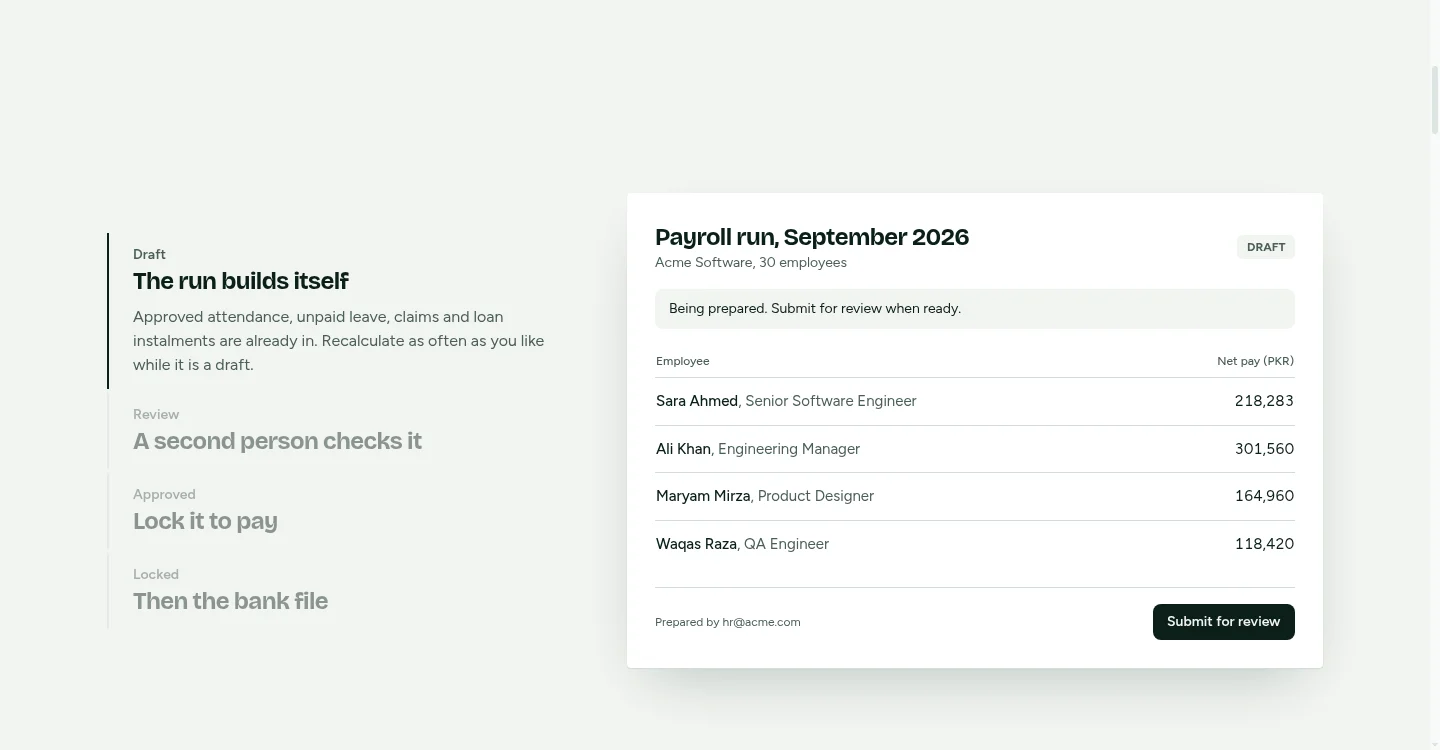
Yes, ZKTeco attendance to payroll can be automated. A ZKTeco clock can feed payroll through an ADMS push, a scheduled export or an SDK link, but it should not pay people straight from the raw log. Punches go into a holding area, the team clears the attendance exceptions, a second approver signs off the hours, and the run is locked before anyone is paid. That gate is what makes the link safe to rely on. The ZKTeco attendance to payroll setup in MatrixHR covers the link itself, and MatrixHR, HR and payroll software covers the employee, leave and payroll side.
This guide covers the controls around that link: the approval step, the cut-off lock and the accounting output. It is written for owners, COOs and payroll managers at US and Canadian companies, from New York and Austin to Raleigh, Denver and the Toronto area, who run HR and payroll in-house.
1Does ZKTeco attendance to payroll happen automatically?
In practice, yes, but through a holding step rather than a direct feed. A ZKTeco integration moves punches from the device into payroll software by one of three routes. Once the punches arrive, the payroll team reviews them, clears the attendance exceptions and approves the hours before the run is locked.
The clock records when someone tapped. The payroll team decides what is paid.
ADMS push, export or SDK: which route fits?
| Route | What it means | Who should check it |
|---|---|---|
| ADMS push | The device sends punches to a server over the network as they happen, using the ADMS protocol. | IT, and whoever sets up and maintains the device |
| Scheduled export | A file (CSV, Excel or a database extract) is pulled from the ZKTeco software and imported into payroll. | Payroll manager, using a sample file before go-live |
| SDK or API link | A developer builds a connection that reads punches from the ZKTeco software. | Developer and HR lead, working from a written scope |
ADMS menu paths vary by model and firmware. Before you set anything up, check your device model and firmware against the vendor documentation. A menu path copied from a forum or a guide for another model may not match the screen in front of you.
If you run ZKTeco BioTime, check the ZKTeco BioTime export options against the vendor documentation before you choose a route.
Verify ZKTeco software names and versions on zkteco.com before naming them in a contract or brief. Many guides online are months old, and product names and versions change.
Which route fits depends on three things: how reliable your network is, how many sites you have, and how often you run payroll. ADMS push suits a site with a steady network and a need for punches to arrive during the pay period. A scheduled export suits a single site with a fixed pay calendar. An SDK or API link suits a company that needs custom reporting or links to other systems. It is a build project, so it needs a written scope.
2Should raw punches go straight into pay?
No. Raw punches are a record of taps, not a record of paid time. Four problems come up often enough to plan for:
- Duplicate punches: someone taps twice, or a device records the same tap twice after it reconnects.
- Missed punches: someone forgets to clock out, or the reader doesn't register a tap.
- Wrong times: a device clock drifts, or was set to the wrong time zone at installation.
- Buddy punching: someone clocks in for a colleague who is late or absent.
None of these is a software bug, so software alone won't fix them. A rule that pays raw punches will pay the duplicate, pay the buddy and pay the wrong hour. The error then surfaces when an employee queries a payslip, which is the worst time to find it.
The payroll team has to decide what counts. Approved hours are the figure the run uses.
3How should attendance exceptions be cleared before pay?
Attendance exceptions are punches and days that don't match the agreed shift. Clear them before the cut-off, using a checklist like this one:
| Exception | What it looks like | Who clears it | What to do before the run |
|---|---|---|---|
| Duplicate punch | Two IN punches a minute apart, or two identical punches in one shift | Line manager, then payroll | Remove the extra punch and record why |
| Missed punch | An IN with no OUT, or no punch on a scheduled day | Line manager | Get a written correction with a reason, then approve or reject it |
| Device offline | No punches from one device for a period | IT | Collect stored punches, or use a fallback timesheet, before the cut-off |
| Unmatched employee number | A punch for an ID that isn't in payroll | HR | Match it to the right person or add the record. Don't pay until it's fixed |
| Wrong time zone or clock setting | Punches are an hour out, or all shifted by the same amount | IT | Correct the device setting, then correct the affected punches with a note |
| Punch after cut-off | A punch arrives after the cut-off for this run | Payroll | Hold it for the next run, or reopen the period with a named approver |
Anything still open at the cut-off goes to the next run, or is reopened by a named approver. Don't guess. A guessed hour paid today becomes a correction next month.
4How do you match ZKTeco employee IDs to payroll?
Good employee ID matching starts with one number. That number has to mean one person in the clock, the HR record and the payroll record. Use the same number everywhere, and write down where it is set and who can change it.
A mismatched ID is the most common reason a person is paid wrongly. A punch lands on the wrong ID, so someone else gets the hours and the real worker's hours go missing. This is easy to prevent and hard to spot afterwards.
Plan for the common movements:
- New starters: create the HR record and assign the number before the person is enrolled on the device. No record, no punches.
- Transfers: keep the same number and update the department or location. Don't create a second record, because the hours will split.
- Leavers: remove device access on the last day, keep the record for final pay, and close it after the final run.
- Rehires: decide whether a returning person gets the old number or a new one. If you use a new one, link the two records. Write the rule down and apply it every time.
5What makes attendance payroll-ready?
Good payroll-ready attendance means the hours in a run can be defended. That needs five things:
- Approved punches, with attendance exceptions cleared and recorded.
- Agreed shifts, so the system knows what a normal day looks like.
- Overtime rules, written down for each group of staff.
- A cut-off date, the last moment a punch or correction can count for a run.
- A cut-off lock, which stops changes to that period once the run is prepared.
Rounding is where teams often get into trouble. A rule that moves punches to the nearest quarter hour sounds neutral, but it can shift pay in one direction. Check US federal rounding rules against the current federal text of the Fair Labor Standards Act and the Department of Labor's guidance under it before you rely on any rounding. State rules differ, so check each state where you have staff. In Canada, overtime and hours rules are set provincially. For Toronto-area staff, check the Ontario Employment Standards Act, 2000.
This article does not present rounding thresholds as fact. Confirm the current rules before you make any claim about how your clock rounds.
6How does WhatsApp leave approval fit into the flow?
Leave changes timesheets, so it has to reach payroll in the right period. A common gap is a manager who approves a holiday in a WhatsApp chat. The approval exists, but payroll never sees it, and the timesheet is wrong.
Where WhatsApp leave approvals are used, the control to aim for has three steps. The manager approves the request in the tool. The approval is recorded against the employee. The approved leave then appears in the timesheet before the payroll run. Before you rely on this, confirm with the MatrixHR team that the current version does each step, and check the exact screens in a demo.
The rule to write down is that the approval lives in the system, not in the chat. A screenshot of a chat is not a record payroll can audit.
7Who should approve a payroll run before staff are paid?
The person who prepares the run cannot approve it. This second approver rule is the control most likely to catch a mistake before money moves. The reason is simple: the person who built the run is the least likely to spot an error in it.
A simple sequence looks like this:
- Payroll prepares the run from approved attendance.
- The cut-off lock stops changes to punches for the period.
- A second approver reviews the totals, confirms the exceptions are cleared and gives the payroll approval.
- Any change after approval reopens the run, needs a named approver, and is written to the audit trail with who changed what, when and why.
The audit trail matters most at step four. If a manager asks for an hour to be added after approval, the request should appear in the record. It should not be made quietly in a spreadsheet.
For the wider control design, see payroll approval controls.
8What comes out of an approved payroll run?
An approved run should produce three outputs that people outside payroll rely on. Before go-live, confirm with the MatrixHR team which of these the current version produces directly, and which need a separate step.
| Output | Who uses it | What to check before release |
|---|---|---|
| Payslips | Employees | Hours, rates and deductions match the approved timesheet |
| Bank file | Finance and the bank | Total matches net pay in the run, and account details are correct |
| QuickBooks journal | Bookkeeper or accountant | Debits equal credits, and each line uses an agreed account and class or location |
Journal lines can follow department or cost centre, so wages land in the right place in the accounts. In QuickBooks this is often a class or a location. Agree the chart of accounts before go-live. If Wages – Operations means one thing to payroll and another to the bookkeeper, the journal will post cleanly and still be wrong.
How do attendance hours map to QuickBooks journal lines?
Yes, if the department or class sits on each employee record and the mapping is agreed before the first run. Whether the current MatrixHR version posts this directly is a question for the product team. The example below shows the arithmetic any mapping has to follow.
Assume a company with a New York office and a Toronto office, with approved hours for one pay period. All figures are invented for illustration.
- New York (US$): 480 regular hours at $30, which is $14,400, and 20 overtime hours at $45, which is $900. Gross pay is $15,300. Deductions and withholdings are $3,100, so net pay is $12,200.
- Toronto (CA$): 300 regular hours at CA$25, which is CA$7,500 gross. Deductions and withholdings are CA$1,800, so net pay is CA$5,700.
The journal is kept in US dollars for this example. Toronto amounts are converted at an illustrative rate of 1 CAD = 0.72 USD. Your bookkeeper sets the rate policy for your own books. At that rate, Toronto gross is US$5,400, deductions are US$1,296 and net pay is US$4,104.
| Line | Account | Class | Debit (US$) | Credit (US$) |
|---|---|---|---|---|
| 1 | Wages expense | New York | 15,300 | |
| 2 | Wages expense | Toronto | 5,400 | |
| 3 | Payroll liabilities (withholdings and deductions) | None | 4,396 | |
| 4 | Net pay clearing | None | 16,304 | |
| Total | 20,700 | 20,700 |
The attendance side supplies the hours and the class for each person. Payroll supplies the rates, deductions and withholdings. This example leaves out employer taxes and any currency gain or loss from a real conversion, and both would add lines. Check that debits equal credits before the journal posts. If they don't, something in the run is wrong, and it should be found before release.
9What happens to payroll if the office Wi-Fi goes down?
Punches still happen when the network fails, so the real question is whether they reach payroll. Many devices store punches locally and send them when the link returns, but check whether yours does and what happens when its memory fills. Don't rely on the vendor's word alone. Test it by disconnecting a device for a short period during a quiet week.
Then write down the fallback:
- Collect any stored punches from offline devices before the cut-off.
- If a device can't be reached, use a manual timesheet that a second person approves.
- When the link returns, compare the device count with the count the server received, so no punches are lost.
10Do I need a parallel payroll run before go-live?
Yes, and you should. Run the new route alongside the current process for one or two pay periods without paying from it.
Compare three things: net pay for each person, deductions, and journal totals. Expect differences in the first run. Sort each one by cause, such as an ID mismatch, a rounding setting or a class mapping, and fix it before you switch. When two periods match, you have evidence that the link works.
11How long does a ZKTeco payroll integration take?
Scope decides both the timeframe and the cost. The number of devices and sites, whether you need ADMS push or an export, how many pay groups you have, your overtime and rounding rules, the QuickBooks mapping and the amount of testing all change the work. Any timeframe or price quoted without that information is a guess.
Treevoxa agrees a written scope and a fixed price before work starts. The launch date is agreed at the same point. You own the code and accounts. Treevoxa has offices in Toronto, Thornhill, London and New York.
To get an early estimate, use the software development cost calculator. If the link needs to be built around your own pay rules, see HR software development.
This guide doesn't quote third-party connector prices. Listing prices change, and they don't show the mapping work your pay rules will need.
12Is biometric attendance payroll data safe to store?
Biometric attendance payroll data is personal data, so treat it that way. Three questions matter: consent, storage and access.
Consent: Tell staff what is collected, why, how long it is kept and who sees it. Get written sign-off where your legal adviser says it's needed.
Storage: Vendors often say templates are encrypted. Ask for that in writing and check it against the documentation, rather than repeating it. Ask whether punches are stored separately from templates, and where backups go.
Access: List who can view, export or delete templates. Limit access to the people who need it, and log it.
Is it legal to use biometric attendance data for payroll in the US and Canada? That depends on your state or province and the facts of your case. Biometric privacy rules vary by US state, and Canadian privacy rules differ by province. This article makes no legal claims. Take advice from a lawyer who knows employment and privacy law where your staff work, before you collect or store templates.
13Where should you start with ZKTeco attendance to payroll?
Start with four things, in this order:
- List every ZKTeco device, its model and firmware, and whether it sends data by ADMS push, scheduled export or neither.
- Write down the one-number rule for employee IDs, then check last year's leavers and rehires against it.
- Agree the cut-off date and the second approver, and put both in the payroll calendar.
- Pull last period's journal and compare its account and class lines with the chart of accounts you plan to use.
Once those four are written down, the rest is a matter of scope and testing. Run the parallel periods, sort every difference by cause, and the link will show whether ZKTeco attendance to payroll does what the plan says.