
For most single shops, the answer to custom pos vs off-the-shelf pos is a ready-made system. A custom POS software build makes sense when your counter, stock and accounts must run on one record. A POS software development service pays when the business is spending money on workarounds: spreadsheets, manual stock counts, double entry into the accounts, or pricing rules the product cannot handle. This guide shows how to tell which side you are on, what each route costs over three years, and what to check before you sign anything.
1What is the difference between custom POS and off-the-shelf POS?
An off-the-shelf POS system is a licensed product. You pay to use it. The vendor decides the features, sends updates to every customer on its schedule, and controls the roadmap. Most point of sale software sold to small shops works this way.
Custom POS software is written for your business. The screens follow your counter, your pricing and tax rules sit in the code, and your stock logic matches how you actually move goods. You decide what gets built next. Who owns the code depends on your contract, and we cover that below.
A custom point of sale does not have to replace everything. Some businesses keep a ready-made till for card payments and build only the parts the product cannot do. That middle route is covered below.
2Is an off-the-shelf POS system enough for most small shops?
For most single shops, yes. If you run one site, sell at a counter, take cards, charge tax at one rate and stock a short list of products, a ready-made system is usually the right answer. It is quicker to start, the vendor carries the maintenance, and you avoid paying for a build you do not need.
Spending on a custom build to solve a problem you do not have is a costly mistake. Check which column below describes your shop.
| Standard shop (ready-made fits) | Shop with custom rules (custom may pay) |
|---|---|
| One counter, or a few tills at one site | Several sites that must share one stock count |
| Fixed shelf prices and simple discounts | Contract prices, batch rules or tiered discounts |
| Stock checked by hand now and then | Stock moves between sites or a warehouse every day |
| A daily sales export goes to the accountant | Sales must post live to accounts or an ERP |
| One tax rate and standard reports | Staff override tax or rounding by hand |
| Staff rarely touch a workaround | Staff keep a spreadsheet running beside the till |
Whichever route you take, you will pay card processing fees on every card sale. Compare the processing rate in each quote as carefully as the monthly fee.
3When has a ready-made POS been outgrown?
Outgrowing a product usually shows up as a growing list of workarounds. Vendor limits change often, so do not rely on a generic list of limits. Ask each vendor to demonstrate the case in writing, using your own products and prices. The three tests below are a good place to start.
Stock split across sites or a warehouse
When the counter, the stock and the accounts sit in separate tools, multi-site stock is where things break first. A transfer from the warehouse to a store is recorded in one tool. The store's till shows the old count until someone reconciles the two by hand. Meanwhile the same item can sell at both sites.
Test: ask the vendor to show a transfer between two sites. Then ask how each site's count changes on the same day, without anyone editing a spreadsheet.
Pricing, discounts or bundles the product cannot model
Consider a pharmacy with contract prices for a care home, a trade supplier with customer-specific prices by volume, or a clothing shop running buy-two-get-one across categories. If the product cannot hold the rule, staff apply it at the till from memory or from a printed price list. Mistakes go unnoticed because nothing flags them.
Test: give the vendor three of your real pricing rules. Ask them to build each one without a plug-in or a manual override.
Counter, stock and accounts kept in three systems
Sales go into the till. Stock sits in an inventory sheet. Sales are entered again in the accounting package. That is double entry, and it takes time every week. Worse, errors stay hidden. A refund at the till can fail to reverse the stock. A discount can post at full price. The variance only appears at the month-end count, by which point nobody remembers the sales involved.
Test: ask how a refund moves stock and the ledger. The right answer is one step with one record, not three steps with a reconciliation at the end.
4Is a custom POS more expensive than an off-the-shelf POS?
Usually yes up front, because custom POS software is a build, not a licence. Over three years, the answer depends on your numbers.
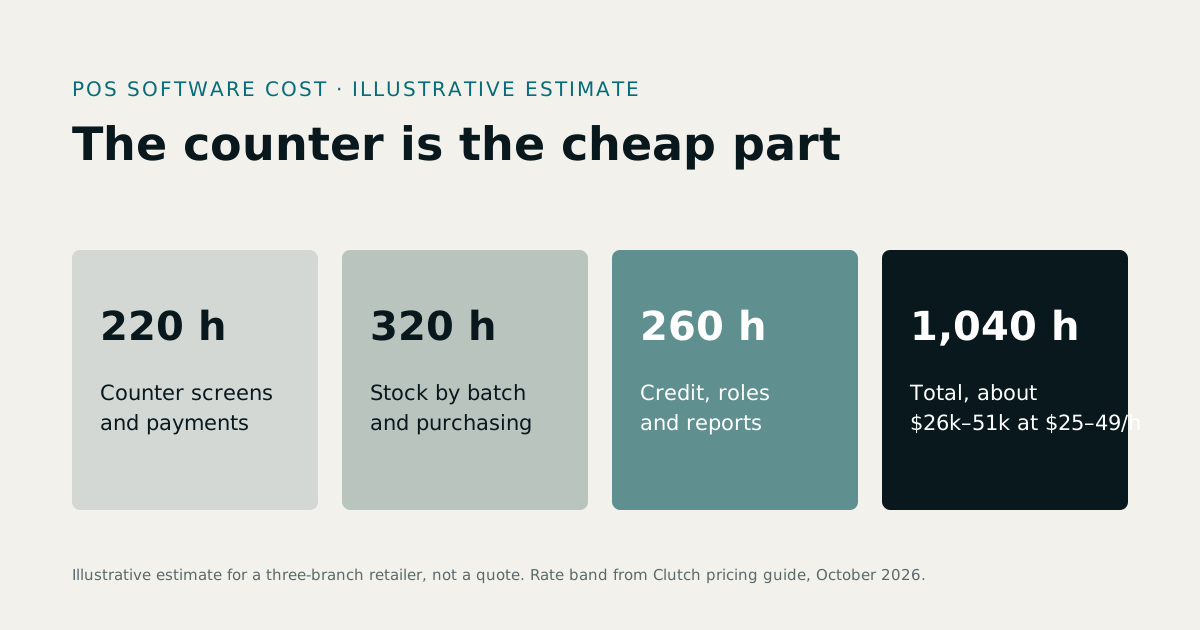
Published build estimates vary so widely that they are hard to act on. A basic single-shop tool and a multi-site system with stock, accounts and integrations are different products. One figure from a guide tells you very little, so plan around your own scope instead. For a wider view of build pricing, read our custom software development cost guide.
The cost drivers matter more than any headline figure:
- Number of terminals and sites
- Stock rules, including transfers and batch or expiry tracking
- Pricing and discount rules
- Integrations with accounting or an ERP
- Hardware and card terminal connections
- Support after launch, and who maintains the system
You can test scope with the software development cost calculator, then replace the rough figure with a written quote. Use the table below to add up the whole POS software cost for each option.
| Cost item | How to work it out | Ready-made (your figure) | Custom (your figure) |
|---|---|---|---|
| Upfront build or set-up | One-off fee | Set-up fee, if any | Build quote |
| Licence per terminal | Monthly fee × terminals × 36 | Often none; check any third-party licences | |
| Add-on modules | Monthly fee × 36 | Included, or none | |
| Card processing fees | Card sales a year × your processing rate × 3 | Same processor? | Same processor? |
| Hosting and maintenance | Annual cost × 3 | Usually in the fee | Hosting plus support plan |
| Staff time on workarounds | Hours a week × hourly cost × 52 × 3 | ||
| Three-year total | Add the rows |
How do you build a fair three-year comparison?
Three years is long enough for a build to pay back or fail to, and short enough to keep your assumptions steady. Every number should come from you, and each assumption should be stated so a developer or your accountant can challenge it.
The assumptions to set out are:
- The subscription fee per terminal
- The number of terminals
- Add-on fees
- Your card processing rate
- The build quote
- Annual maintenance
- Staff hours spent on workarounds, and what those hours cost
The example below is illustrative. It is not market data and not a quote. It uses US dollars. Canadian businesses should run the same table in CAD and include GST or HST as their accountant advises.
| Assumption | Value used in this example |
|---|---|
| Card sales | $400,000 a year |
| Card processing rate | 2.6% (illustrative; replace with your processor's rate) |
| Terminals | 3 |
| Ready-made licence | $100 per terminal a month |
| Ready-made add-on module | $60 a month |
| Staff time on workarounds, ready-made | 6 hours a week |
| Custom build quote | $60,000 |
| Custom maintenance | 15% of the build a year (illustrative assumption) |
| Custom hosting | $100 a month |
| Staff time on workarounds, custom | 1 hour a week |
| Hourly cost of staff time | $30 |
| Cost over three years | Ready-made | Custom |
|---|---|---|
| Build or set-up | $0 | $60,000 |
| Licences | $10,800 | $0 |
| Add-on module | $2,160 | $0 |
| Maintenance (15% a year) | $0 | $27,000 |
| Hosting | $0 | $3,600 |
| Card processing fees | $31,200 | $31,200 |
| Staff time on workarounds | $28,080 | $4,680 |
| Total | $72,240 | $126,480 |
On these assumptions, the custom build costs about $54,000 more over three years. Card processing fees are the same in both columns because the example assumes the same processor.
The gap closes if the build quote falls by about $54,000, or if ready-made workarounds cost about 12 more staff hours a week than assumed. Change one number and the answer moves.
Two cautions. First, check the processing rate against your processor's current terms, not a rate from a guide. Second, if the ready-made product forces you onto its own payments at a higher rate, the processing row changes, and that may decide the case on its own.
Where does the money really go?
Four places, in roughly this order of size for a busy shop:
Card processing fees. These are charged per transaction, so they grow with sales. In the example above, 2.6% of $400,000 is $10,400 a year. That is nearly three times the annual licence cost of $3,600 in the same example. The rate is an assumption for illustration. Pull your effective rate from your last three months of processor statements.
Staff time. Reconciliation and workarounds are usually the biggest hidden cost. Ten minutes a day per person adds up to roughly a full working week across a year.
Add-on modules. Reporting, multi-site, loyalty and inventory features are often priced separately. A starter fee can grow into a larger bill once you turn on what you need.
Hardware. Card readers, receipt printers, cash drawers and cabling vary by vendor. Ask whether hardware is bought, leased or required by the platform. Hardware choices can lock you in as much as software does.
5Who owns the POS code and the sales data?
With a subscription, the vendor controls the updates, the features and the pricing. You depend on its export terms to leave. Check them before you sign. Ask what you can export, in which format, at what cost, and whether you keep access after the contract ends. Sales history, customer lists, product catalogues and stock movements are the things you most need to keep.
With a custom build, the agreement should say who receives the source code and the accounts: the hosting, the domain and the merchant accounts. Treevoxa's position is that the client owns the code and accounts. Check that in your own contract, and check any third-party components the build uses, since those can carry their own licences.
The ownership trade-off between custom software and SaaS applies here as well. Read your current contract with that question in mind.
6Can I move from an off-the-shelf POS to a custom one later?
Yes, but only with a plan. Moving later is much easier if you set up the data correctly from the start. The usual steps are:
- Export sales history, products, prices, customers and stock movements in a usable format. Test the export before you need it.
- Map each field to the new system. Decide what counts as a product, a variant and a tax code.
- Build and test the new system using copies of real data.
- Run both systems in parallel for a set period. Compare daily sales totals and stock counts every day.
- Cut over one location at a time, starting with the site that carries the least risk.
- Keep the old system read-only for a while so you can look things up.
The parallel run is where errors show up. Do not skip it to save time. A timeline depends on how much data you have and how many sites you run, so ask for one only once the scope is written.
If you are weighing the same move for back-office systems, our custom ERP vs Odoo vs ERPNext comparison covers the trade-offs for accounting and stock.
7Is there a middle option: extending a ready-made POS?
Yes, and many owners overlook it. You keep the ready-made system for card terminals, hardware and the basic till. You build a custom layer for the parts it cannot do well:
- Pricing rules the product cannot hold
- Reporting across sites
- Integrations with accounting or an ERP
This works only where your needs are narrow. A few rules and one or two integrations are a good fit. If you need the counter itself rebuilt, a layer on top will not hold. Be realistic about the downsides too. Every vendor update can break a layer, and you depend on the vendor's interfaces staying stable.
If the business already runs on Shopify, Shopify app development is the extend route. A custom app can add the pricing rule, report or integration you need without replacing the platform.
8What are the risks of a custom POS, and how do you manage them?
The risks sit in four places: tax and rounding, offline mode, card terminal integration, and stock. Money, tax and stock errors are expensive. They are also where unreviewed code does the most damage. A rounding error on each line looks trivial until it repeats across thousands of sales before anyone notices.
Ask for these controls in writing:
- Test cases for tax and rounding. Include the awkward cases: discounts applied before tax, baskets with mixed tax rates, and refunds after a discount.
- Test runs with real counter data. Use copies of last quarter's sales and your real product list.
- Offline testing. Pull the network during a sale. Check what the till does and how sales sync afterwards.
- A pilot at one site. Reconcile daily before you roll out to the rest.
- Your own tax and payment rules, in writing. Sales tax and payment rules differ by state and province, and GST or HST rules differ again in Canada. Have your accountant confirm the rules that apply, and make sure the developer builds to them. Do not assume them.
Is an AI-built POS safe for money and stock?
It can be, but only with three things in place: human engineering review, tests on tax and rounding, and a named team that owns the code after launch. The tool used to write the code matters less than who checked it and which cases the tests cover.
Ask who reviewed the code, what tests exist, and who fixes a bug in month six. "The AI tested it" is not an answer.
Is a custom POS more secure than a ready-made one?
Not automatically. Security depends on how a system is built, hosted and maintained, not on whether it is custom. A well-run product from a large vendor can be more secure than a rushed build. A careful custom build can be safer than either.
Where possible, card data should stay with a certified payment provider, so your system never stores or handles raw card numbers. Card data handling falls under PCI DSS. The PCI Security Standards Council says PCI DSS version 4.0 became the only active version when version 3.2.1 was retired on 31 March 2024, and that the future-dated requirements became mandatory on 31 March 2025. Some third-party guides give a different final deadline, so confirm the current position on the PCI Security Standards Council's guidance before you plan around it.
9Which businesses benefit most from a custom POS?
The strongest case is a business where the counter, the stock and the accounts must share one record. Three types come up most often:
- Pharmacies where the counter, the store room and stock need to sit on one record, and staff need the same figures at both. PharmaFlow counter, store and stock software is our pharmacy product built around that idea, and it is a useful worked example of the approach.
- Multi-site retail where stock moves between shops or a warehouse every day.
- Businesses with bespoke pricing or regulated stock, such as trade suppliers with customer-specific prices, or shops that track batches or expiry dates.
Businesses in New York, Austin, Raleigh, Denver and the GTA can all face these questions. We build for US companies through our software development for US companies service. Our offices are in Toronto, Thornhill, London and New York, so we work with owners on both sides of the border.
10How long does a custom POS build take, and how is it scoped?
Scope drives the timeline. The number of sites, the stock rules, the integrations, the hardware and the number of pricing rules all change how long a build takes. A duration means little until the scope is written, so ask for one against a written scope.
A typical build moves through five phases:
- Discovery. Map the counter, the stock and the accounts. List every pricing and tax rule, and find the workarounds staff use today.
- Build. Design the screens, the stock logic, the integrations and the card terminal connection.
- Testing with real counter data. Run copies of real sales and products through written test cases for tax and rounding.
- Pilot at one site. Reconcile daily and gather feedback from the people using the till.
- Rollout. Move the remaining sites one at a time.
Treevoxa agrees a written scope, a fixed price and a launch date before work starts. That is the commitment we make, and it is the first thing to ask any developer for. It does not mean nothing changes. When scope changes, the change should go through a written change request with its own price and date.
11Which route fits your store? A quick checklist
Use this table to test your own situation. If most answers point to one column, that is your starting route. If they split, the split shows where to focus.
| Question | Points to off-the-shelf | Points to custom |
|---|---|---|
| How many locations share stock? | One site, or stock counted separately | Several sites moving stock every day |
| How many pricing rules do staff apply by hand? | None, or a few simple discounts | Contract, batch or tiered rules applied every week |
| Must the till post live to accounting or an ERP? | A daily export is fine | Live posting, with errors caught the same day |
| Do you need to own the code and data? | Vendor terms are acceptable | Yes, the code and accounts must be in your name |
| How much downtime can you accept? | Brief outages are fine, and the vendor handles hosting | Offline selling is needed and must be tested |
| Who fixes problems on a busy Saturday? | The vendor's support team | A named team, under written support terms |
12What should you ask a POS developer before you sign?
Put these questions to any developer, including us. Ask for every answer in writing. You can start that conversation through our contact page.
- A written scope that lists sites, terminals, stock rules, pricing rules and integrations
- A fixed price, and how changes to scope are priced
- A launch date agreed before work starts
- Who owns the source code, the hosting and the merchant accounts, as stated in the contract
- A test plan for tax, rounding, refunds and discounts, run on real data
- Offline behaviour: what the till does when the network drops, and how sales sync afterwards
- The payment provider, and how card terminals connect to the system
- Support after launch: response times, who fixes bugs, and what changes cost
- Data export terms: formats, costs, and your access after the contract ends
- The named engineers who will build and maintain the system
13Custom POS vs off-the-shelf POS: which fits your store?
The question behind custom pos vs off-the-shelf pos is simple: do your counter, stock and accounts need to share one record? For most single shops the answer is no, and a ready-made system is the sensible start. When stock spans several sites, pricing rules go beyond what the product can hold, or the books need live posting, a custom build can pay for itself. Work through the three-year comparison with your own figures, and make sure scope, price, code ownership and launch date are all in writing before any work begins.