
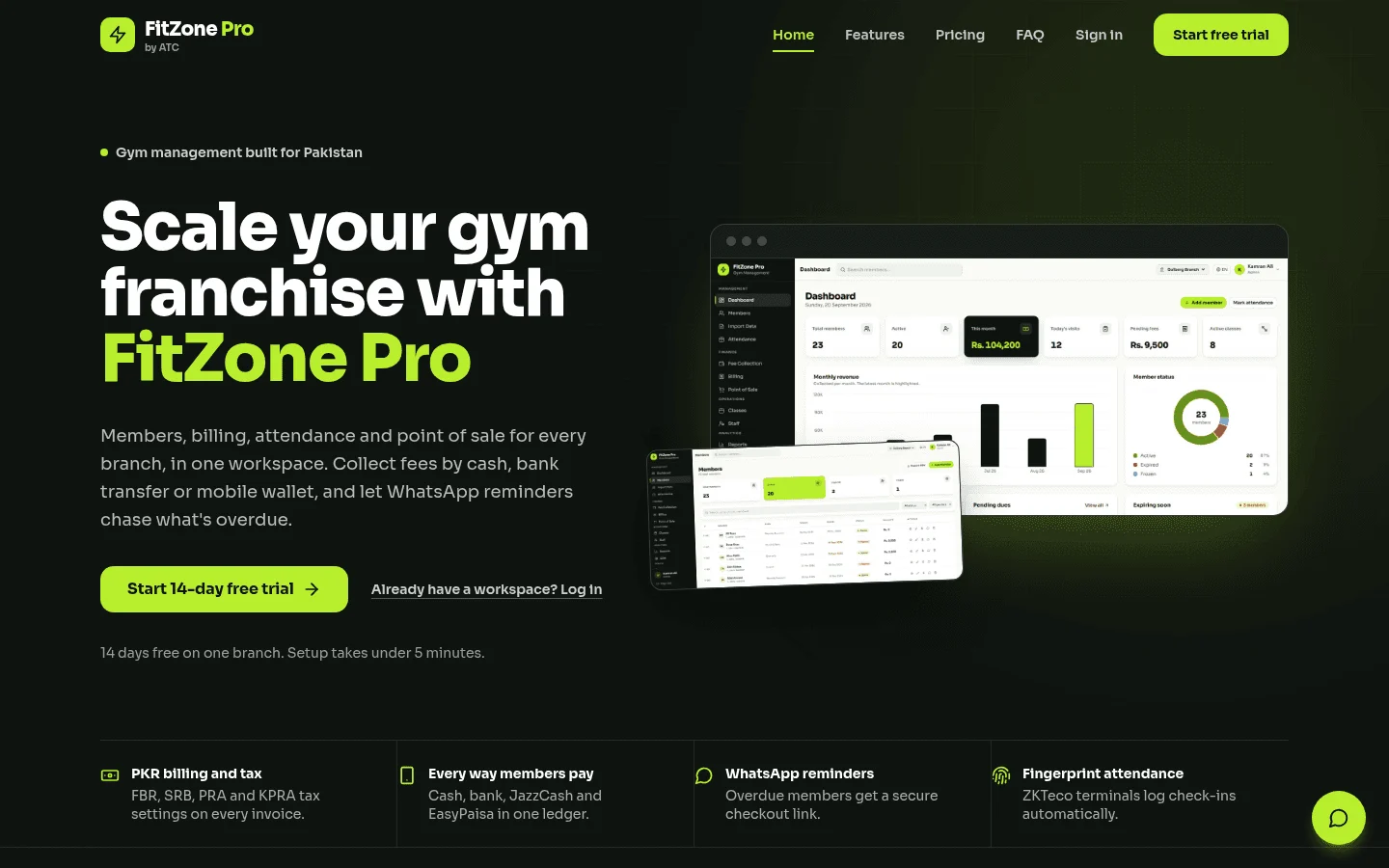
Gym management software Ontario gyms can rely on must do four things: bill in Canadian dollars, follow Ontario contract rules, connect to the access hardware they already own, and move member records across cleanly. FitZone Pro gym management software is one product to put through that test. For what it does across every province, including GST/HST billing, see FitZone Pro gym management software for Canada. In this guide, Ontario means the Canadian province, not Ontario, California. The contract points below are general information, not legal advice.
1Which gym management software Ontario gyms should test?
A platform suits an Ontario gym when it passes four checks:
- CAD billing. Member fees, invoices, payment reports and price lists should be in Canadian dollars. Ask how tax appears on each invoice and who sets that up.
- Contract records. The software should show when a written contract was given, log cancellation requests with dates, and handle renewals and monthly payment options.
- Access hardware. If you already run fingerprint or face terminals, the software has to link to them. Replacing working hardware should be a decision you make on purpose, not a condition of signing up.
- Migration. Members, contracts, balances and attendance history need to move across without re-keying.
FitZone Pro's product page covers members and migration, biometric access, fees and billing, classes and retail, staff and CRM, and reports and multi-branch. Those are the areas to test against your own list.
2Does gym management software bill in Canadian dollars?
FitZone Pro's product page does not state whether it bills in Canadian dollars or how it handles tax on Ontario invoices. Do not assume either. Ask Treevoxa through our contact page and get the answer in writing before you compare it with other options.
Ask every vendor the same questions:
- Are invoices, payment reports and price lists issued in CAD?
- How is tax set on an invoice, and who keeps the rate up to date?
- If the vendor bills in USD, how is the exchange rate applied, and when?
- Are refunds and credits recorded in the same currency as the original charge?
Most of these checks apply to any gym management software Canada operators use, not only in Ontario.
3What do Ontario's contract rules mean for your software?
Ontario's consumer rules for gym and fitness contracts come from the Consumer Protection Act, 2002. The government's consumer guidance summarises three points that matter for software:
- Members can cancel within 10 days of receiving a written copy of the contract.
- Contracts must end after one year, but they can be renewed.
- Memberships must offer monthly payment options.
The sources are Joining a gym or fitness club and Be consumer wise. For the exact section wording, read the Act itself or ask a lawyer.
These points shape what your records need to show. Your software should be able to prove when a contract was given, what the member agreed to, and when a cancellation arrived.
The Consumer Protection Act, 2023 is the replacement for the 2002 Act. It received royal assent in December 2023, but it takes effect on a day named by proclamation, not on assent. The full text is on the Ontario government's statute page. Check the current position on ontario.ca/laws before you rely on either law. Whichever Act is in force on the day you read this decides which rules your contracts must follow, and the rules described here may have changed.
This section is general information, not legal advice. A lawyer or the Ontario government can confirm how the rules apply to your facility, your contract wording and your pricing.
The 10-day cancellation right
A member can cancel without giving a reason within 10 days of receiving the written contract. Use the government's wording as the reference. Some third-party guides add conditions about when the clock starts, so do not build your process around those versions without checking the government page.
For an owner of an Ontario gym contract, the practical question is evidence. If a member says they cancelled inside the window, can you show when the signed contract was handed over and when the cancellation arrived? Ask a vendor to show you:
- where the signed contract is stored against the member record
- the date the copy was given, recorded when it is issued
- how a cancellation request is logged, with its date and who logged it
- how a cancelled membership stops billing and access
If you are a member checking your own rights, start with your written contract and the government's guidance, then speak to the gym directly.
Confirm your position before you rely on it
Third-party guides describe conditions on which memberships the rules cover, and some exceptions for non-profit, municipal and charity facilities. Those details need checking against the primary text before you act on them. Before you change contracts or software settings because of a rule, confirm your own position with a lawyer or the Ontario government.
4How much does gym management software cost in Ontario?
Published vendor prices change often, and many sites hide them behind a demo form. This guide does not reproduce competitor price lists, because a figure copied today can be out of date next month. A USD price converted to CAD also moves with the exchange rate. Instead, compare the pricing model, then ask each vendor for a written quote in CAD on the plan you need.
| Pricing model | What to check |
|---|---|
| Per active member band | Count your active members now and in a year. Band limits decide which price you pay. |
| Flat monthly plan | What is included: members, classes, access control, reports. What costs extra. |
| One-time licence | Who pays for updates, hosting and support after the first year. |
| Per location | Whether each branch is billed separately, and how the price changes as you add sites. |
| Card processing | Who collects the fee and at what rate. The fee comes from the payment provider, so get it in writing. |
| Currency | Whether the quote is in CAD or USD, and how any exchange rate is applied. |
Some vendors offer entry plans. Before you take one, check whether payments, access control and member apps are included, because entry plans often leave out at least one of those.
For Treevoxa's current pricing, see Product pricing. If you are estimating a custom build instead, the software development cost calculator gives you a starting point for your budget.
5Can it use the ZKTeco terminals you already own?
Many gyms already have fingerprint or face terminals on the door. Replacing them to suit a new platform is expensive, so the real question is whether the software can work with them.
Most gym software guides describe phone keys or built-in door systems. Far fewer explain what to do when you already own biometric terminals. For that case, see the ZKTeco gym software page, which sets out how FitZone Pro links terminals to member records. For a wider look at options, read the buyer's guide to gym software door access Canada.
Check the terminal models named on that page against the one you own. Then ask for written confirmation that your exact model is supported. 'Most ZKTeco devices work' is not an answer you can hold a vendor to.
Linking fingerprint and face terminals to member records
The basic flow is simple. The terminal reads a fingerprint or a face. The software matches it to a member record. The member's fee status then decides the outcome. A member with paid-up fees gets through. A member whose fees have lapsed is handled according to your written policy.
Biometric data is sensitive personal information. Before you enrol members, confirm with a privacy adviser or lawyer what consent, notice and storage rules apply to your gym. Ask the vendor whether templates are stored on your premises or in the cloud, and who can export them.
What to test before you buy new hardware
| Test | What to check |
|---|---|
| Model support | Your exact terminal model is confirmed in writing |
| Enrolment | Enrol a handful of real members and confirm each one is matched at the door |
| Expired fees | The door denies entry the way your policy says |
| Offline behaviour | What happens to check-ins and door decisions if the internet drops |
| Installation | Whether wiring and installation are quoted separately from the software |
For the expired-fee case, ask the vendor to demonstrate it at the reader using a test record, not a description. Whether the door should refuse a member with lapsed fees is a policy decision for your gym, and it should be settled before go-live. The steps for doing that are set out in how to block gym members with expired fees at the door.
6How do fees and renewals stay tied to every visit?
A check-in is the moment a gym sees whether a member is paid up. If fees, billing and renewal status sit in a different system from the door, staff end up guessing or phoning the owner.
FitZone Pro's product page describes fees and billing, with renewals beside every visit. That is the design to test. At the front desk, can a staff member see a member's renewal date and balance from the check-in screen? Ask the vendor to show this with a real record, not a sample account.
Renewal reminders and unpaid balances are separate jobs. Ask how each one is handled, who sends the message, and what the member sees. Reminder options are compared in the gym membership renewal reminders software buyer's guide, and collecting overdue balances is covered in the gym dues recovery playbook.
7How do you move members from an old gym system?
The safest switch starts with a test, not a cut-over date. Ask the vendor to reconcile ten balances from your old system against the new one before anyone signs off. FitZone Pro lists members and migration among its stated features. Any vendor will need the same steps from you.
| Step | What to do | Done when |
|---|---|---|
| 1. Export member records | Full list with IDs, names, contact details and membership status | Record count matches the old system |
| 2. Confirm active contracts | Check each contract's start date, end date and renewal date | Every active member has a renewal date |
| 3. Reconcile balances | Match each outstanding balance to an invoice | Totals match the old system |
| 4. Check attendance history | Decide how much history moves and how it is labelled | Agreed in writing |
| 5. Set up staff accounts | Permissions for front desk, managers and owners | Each role has been tested |
| 6. Run a test import | Load a copy into a test environment | A sample of members matches the old system |
| 7. Sign off cut-over | Agree the switch-over date in writing, with a fallback plan | Signed by owner and vendor |
How long this takes depends on how many records you have and how tidy the old data is. Ask for a timeline in writing, with these steps as milestones. Be wary of any timeline that skips the test import.
8Does it run several branches from one dashboard?
FitZone Pro's product page lists reports and multi-branch among its features. Test that against your own branch list rather than taking the feature name at face value.
Ask the vendor:
- How are reports split by branch, and can you see a group total?
- Can a member who joins one branch check in at another? If so, whose fee rules apply?
- Can each branch have its own fee schedule and price list, and who can change them?
- Who can see another branch's member data?
Write the answers into the contract, not just your demo notes.
9Should you buy off the shelf or build your own?
Off-the-shelf software is usually the faster start when your gym runs in the usual way: standard memberships, classes and fees. A custom build makes more sense when your rules, reports or access setup do not fit a standard product, or when you want to own the system outright. The trade-offs are laid out in Custom Gym Management Software: Cost, Break-Even and Build vs Buy.
Work out the break-even with numbers. Compare the annual licence cost of an off-the-shelf product, including add-ons, with the cost of building and supporting your own system over three to five years. The build vs buy software decision checklist gives you a set of questions to score both routes.
Ownership is the question to settle first. With a custom build from Treevoxa, the terms are set before work starts. Scope, fixed price and launch date are written down, and you own the code and the accounts. Treevoxa is a remote team and agrees overlap hours with each client. With an off-the-shelf product, check the data export terms in the contract, and ask who owns member data after the contract ends.
10How do you shortlist and test Ontario gym software?
Run the same test on every gym software Ontario vendor on your list. Shortlist three, then check each one against this table.
| Ask for | Why it matters |
|---|---|
| A demo using a sample of your own member list | Shows how the software handles your data, not a demo account |
| A price in CAD, with the tax treatment in writing | Avoids surprises on the first invoice |
| Hardware support confirmed in writing for your model | Stops you buying terminals the software cannot read |
| A migration plan with dates and sign-off steps | Shows how balances and contracts move across |
| Data ownership after the contract ends, plus the export format | Keeps your member records if you leave |
Before you sign, send every shortlisted vendor the same written questions and the same sample of your member list. Then compare the written answers, not the demos.
11Choosing gym management software Ontario gyms can rely on
The right gym management software Ontario gyms can use comes down to four written answers: CAD billing, dated contract records, support for the terminals on your doors, and a tested migration plan. Test each vendor with your own member list, confirm the current Ontario rules on ontario.ca/laws before you change any contract, and compare the written answers rather than the demos.