
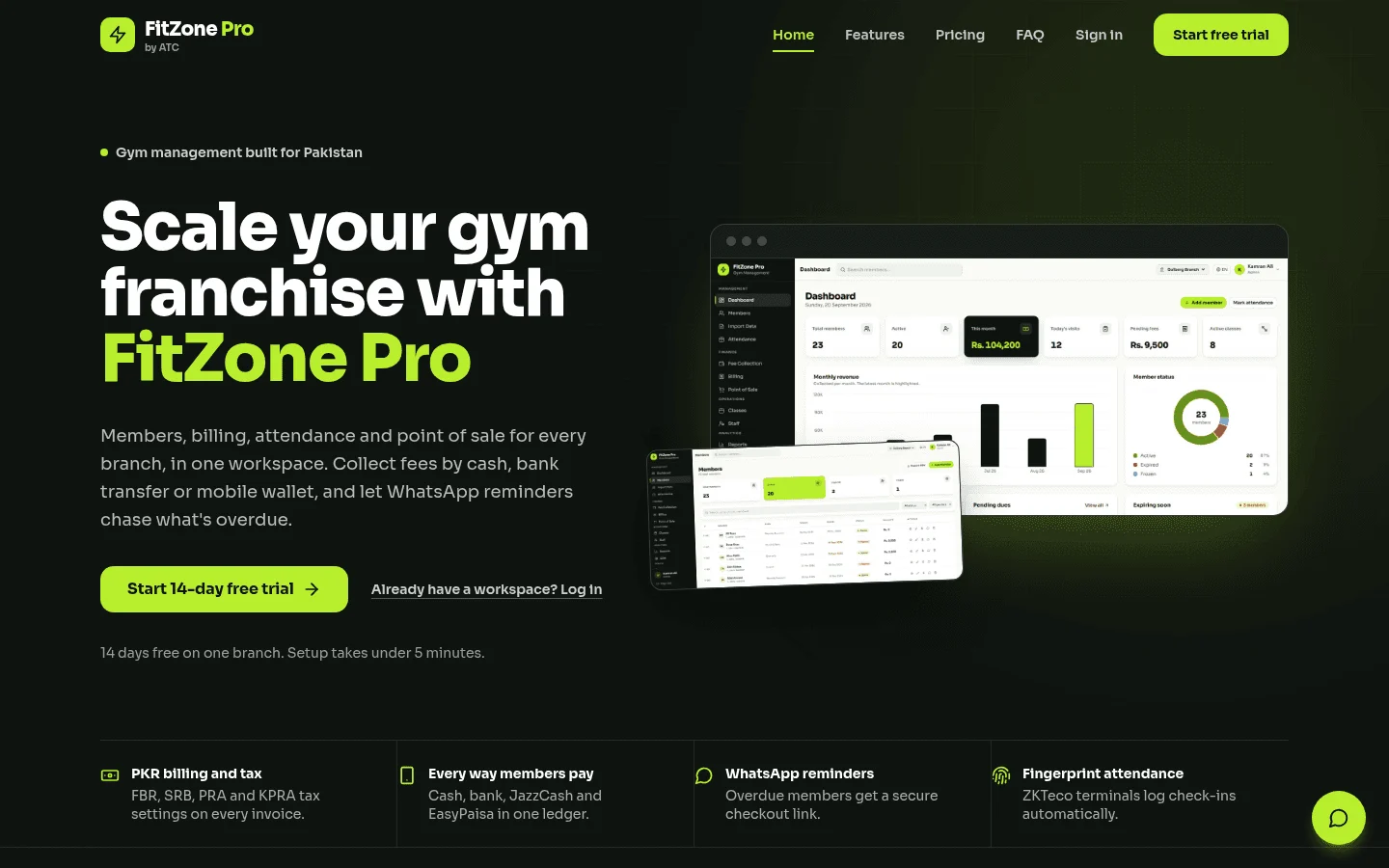
Custom gym management software costs three things to run: a monthly software fee, card processing on every member payment, and access hardware such as turnstiles and readers. If you build it custom, you also pay a one-off build cost, which published estimates put at about 4,000 USD for a basic app and up to about 120,000 USD for a full fitness business system. For one site with standard needs, our own FitZone Pro gym management software is worth comparing before you commission a build. Plan prices in this guide run from about 75 to 229 USD a month before card fees, as listed by third-party comparison sites.
1How much does custom gym management software cost?
The total gym software cost has three monthly layers and one one-off cost.
Monthly software. The fee to the vendor, usually a flat tier or a per-member charge.
Card processing. A percentage of every payment your members make. It rises with collections, not with the software.
Access hardware. Turnstiles, readers, controllers and installation. Most software prices leave these out.
One-off build. This applies only if you go custom. A custom system also carries a monthly run cost for hosting, updates and support.
Compare totals over three and five years, not the monthly line. The break-even section below shows the method with numbers. For a rough build range based on your own scope, use the software development cost calculator.
2How much does gym management software cost per month?
The table lists plan prices as published by third-party comparison sites. We have not confirmed them on each vendor's own pricing page, so treat them as a starting point.
| Vendor and plan | Listed price (USD per month) | Notes | Source |
|---|---|---|---|
| PushPress Pro | 159 | Card rates are lower than on the entry tier | Flozic review |
| PushPress Max | 229 | Highest listed tier, with lower card rates again | Flozic review |
| GymMaster Foundation (up to 100 members) | 89 software only; 129 with 24/7 door access | Hardware and installation are not in either price | 1club comparison |
| Gymdesk Micro (up to 50 active members) | 75 without payments; 100 with payments | The price depends on whether payments are included | 1club comparison |
Prices move, sometimes within a month. Check the vendor's pricing page on the day you read this.
We have left Mindbody and Wodify out of the table because the sources disagree on their prices. In the listings we read, Mindbody's Starter tier is quoted per location, at 79 USD in one listing and about 99 USD in another. Wodify ranges from a 99 USD promotional price to a 199 USD list price, with about 149 USD in a third listing. Ask each vendor for its current price per location before you compare.
Do entry-level gym management plans suit a small gym?
Often, if you run one site with standard membership types. Some vendors list entry-level tiers, and one comparison lists a PushPress Core tier. Check its limits before you rely on it. Look at member caps, branches, class features and whether payments are included. A low monthly fee only makes sense if the tier covers what you actually run.
Why does per-member pricing get expensive?
Per-member pricing means your bill rises as your roll grows. One published example puts a plan at about 199 USD a month at 50 members, 399 at 150 and 699 at 300 (FitnessGM price guide).
The total rises, but the cost per member falls. In that example, it drops from about 4 USD a member at 50 members to about 2.30 at 300 members. At 150 members it is about 2.66 USD a member. The 300-member gym pays about 75% more than the 150-member gym, for twice the members.
A flat plan works differently. It is a fixed bill, so it can cost more than you need when your roll is small. When you outgrow the tier, you move up. Work out the point where a flat tier beats a per-member plan, using the vendor's real numbers.
3How do card processing fees affect the monthly total?
Card fees are a percentage of every member payment, so they grow with your collections. They are the part of the bill owners most often underestimate.
To work out your own figure:
- Take your monthly collections, meaning all member payments through the system.
- Multiply by the processing rate in your contract.
- Add any fixed fee per transaction.
For a 150-member gym collecting 12,000 USD a month, the card fee depends on the rate. The table below is our own working estimate, using assumed rates. These are illustrations, not quotes.
| Assumed card rate | Card fees per month on 12,000 USD | Same, in CAD at 1.40 |
|---|---|---|
| 2.5% | 300 USD | 420 CAD |
| 3.0% | 360 USD | 504 CAD |
| 3.5% | 420 USD | 588 CAD |
Add the software fee to that figure. A 159 USD plan with a 3.0% card rate comes to about 519 USD a month before hardware.
Card fees rise with revenue, so a higher tier with lower card rates can cost less overall on high collections. Also check whether refunds, failed payments and chargebacks carry their own charges.
4What does access hardware add to the bill?
Access hardware is the third cost layer, and most software prices leave it out. GymMaster's 89 USD figure is software only, with hardware and installation priced separately. Terminals, readers and installation are a one-off cost per door, so budget them with your installer's quote.
Does gym management software work with ZKTeco terminals?
ZKTeco fingerprint and face terminals are common in gyms. Whether a plan works with them depends on the integration, not on the brand name on the box. Before you buy, ask:
- Who owns the integration between the terminal and your membership records?
- Does the terminal check member status live, or against a list updated overnight?
- Who supports the link when a terminal fails or a firmware update breaks it?
- Who pays for changes when you add a second door or a second site?
If you run ZKTeco terminals, start with our ZKTeco gym software page. To see how attendance data can drive fees, read linking biometric attendance to gym membership fees.
Can gym software block members with expired fees automatically?
Test this with each vendor rather than assuming it. Whether a system can block gym members with expired fees at the door depends on how the terminal reads membership status. Ask for a live demonstration on your own terminal model, using a test member whose fees have lapsed. For the access side of this, see how to block gym members with expired fees at the door.
5How much does it cost to build a gym management app?
Three published ranges show how wide the market is:
- RaftLabs: 35,000 to 120,000 USD and 10 to 18 weeks for custom fitness business software (RaftLabs).
- Zeepalm: from 25,000 USD for a full custom platform that replaces an off-the-shelf suite (Zeepalm).
- Nyusoft: 4,000 to 8,000 USD for a basic MVP (Nyusoft). This is a basic app, not a full gym platform.
For broader context on custom builds, see our custom software development cost guide.
The spread is wide because the scope differs so much. The main drivers are:
- how many members, classes, memberships and staff roles the system handles
- how many branches it covers, and how they share staff and stock
- which integrations you need, such as accounting, payments and access hardware, often built through an API
- whether you need a branded mobile app for members
- how much data you must migrate from spreadsheets or an old system
- what support and changes you expect after launch
Treevoxa works from written scope. Before any work starts, we agree the scope, a fixed price and a launch date in writing, so you see the number before you commit. We do not publish a build price here, because the number depends on your scope. Our team covers software, design, cloud and marketing from offices in Toronto, Thornhill, London and New York. You can read more on our custom software development services page.
6Where is the break-even for build vs buy?
The method compares what you would stop paying with what the custom system would cost to run, then adds the build as a one-off. Use this formula:
Break-even month = build cost ÷ (monthly software fee avoided − custom run cost)
Card fees and hardware usually appear on both paths. If so, they drop out of the build-or-buy comparison, though they still count in your total budget.
The example below uses these assumptions:
- Monthly collections of 12,000 USD
- Card processing at an assumed 2.5%
- Software at 399 USD a month, the per-member example for 150 members
- Custom run cost of 250 USD a month (assumed)
- Access hardware of 3,000 USD one-off (a placeholder, not a quote)
- Build cost at the low (35,000 USD) and high (120,000 USD) RaftLabs figures
- Exchange rate of 1 USD = 1.40 CAD. This is a working assumption, not a live quote. Check the Bank of Canada rate on the day you run your own numbers.
The example assumes the same card processor on both paths. If the custom build uses a different processor, rerun the figures.
Worked example: a 150-member gym, in CAD and USD
This example is illustrative. Your answer changes with your roll, fees, hardware and scope.
| Line | Buy: SaaS plan | Build: low | Build: high |
|---|---|---|---|
| Software fee or run cost, per month | 399 USD (559 CAD) | 250 USD (350 CAD) | 250 USD (350 CAD) |
| Card fees, per month (2.5% of 12,000) | 300 USD (420 CAD) | 300 USD (420 CAD) | 300 USD (420 CAD) |
| Monthly total | 699 USD (979 CAD) | 550 USD (770 CAD) | 550 USD (770 CAD) |
| Access hardware, one-off | 3,000 USD (4,200 CAD) | 3,000 USD (4,200 CAD) | 3,000 USD (4,200 CAD) |
| Build, one-off | None | 35,000 USD (49,000 CAD) | 120,000 USD (168,000 CAD) |
| Year 1 total | 11,388 USD (15,943 CAD) | 44,600 USD (62,440 CAD) | 129,600 USD (181,440 CAD) |
| 3-year total | 28,164 USD (39,430 CAD) | 57,800 USD (80,920 CAD) | 142,800 USD (199,920 CAD) |
| 5-year total | 44,940 USD (62,916 CAD) | 71,000 USD (99,400 CAD) | 156,000 USD (218,400 CAD) |
In this example, building does not pay back within five years at either build cost. The custom path saves about 149 USD a month (about 209 CAD). At the low build cost, recovering the build alone would take about 235 months.
To pay back a 35,000 USD build within five years, the software it replaces would need to cost about 833 USD a month (about 1,166 CAD). Over three years, it would need to cost about 1,222 USD a month (about 1,711 CAD). A 159 USD plan, which the PushPress Pro listing shows is available, makes buying the lower-cost route on the same assumptions.
How do multi-branch gyms change the maths?
Each branch multiplies the questions. Franchise operators and multi-site gyms usually need:
- revenue reported by location, for franchisees and head office
- one dashboard covering every branch
- shared staff, memberships and transfers between sites
- local prices and classes inside one set of rules
Per-location pricing multiplies the bill. In the Mindbody listings we read, the Starter tier is quoted per location, so a five-site operator would multiply the listed figure by five.
Many off-the-shelf tools were not designed to split revenue by franchisee, so reporting often needs a workaround. That is a common reason operators end up with a custom reporting layer. If you run branches in New York, Austin, Raleigh or Denver, the reporting you need is usually per city and per franchisee. Our software development for US companies page explains how we approach that work. Operators in Toronto and the GTA face the same questions about shared staff and location reporting.
7When is off-the-shelf gym software enough?
Off-the-shelf software is enough more often than vendors admit. It usually fits when:
- you run one site with standard membership types
- classes, bookings and card payments are covered by the plan's features
- the access system you use is supported by the vendor
- the standard reports answer the questions you ask each month
- you can export your data without help from the vendor
If these describe your business, buy the tool and spend the money on running the gym. We would rather you buy a product that fits than commission a build you do not need. The wider trade-off is covered in our discussion of custom software vs SaaS, and it comes down to whether your rules fit a standard product.
8When does a custom gym system make sense?
A custom system earns its cost when your business rules are the problem. It makes sense when you have:
- unusual membership rules, such as corporate contracts, family plans with shared credit or pay-as-you-go memberships with custom pauses
- custom retail, POS or pro-shop sales that a standard tool handles badly
- several branches with shared staff, shared stock or cross-site reporting
- a need to link directly to your own accounting system
- a strong reason to own the data and the code outright
If one of these is your daily pain, price a custom option properly. If none of them is, you probably have a configuration problem, not a build problem.
9Does fingerprint or face access need member consent?
This is a plain-language summary, not legal advice. Check current law for each location where you operate before you collect biometric data. If you are weighing face recognition entry, our buyer's guide to gym software with face recognition entry covers the options.
Canada. The Office of the Privacy Commissioner of Canada issued guidance on biometric information in August 2025, under PIPEDA. Read the guidance itself on the OPC site. In practice, its core expectations include a privacy impact assessment before you start, express consent from members, and an alternative to biometric identification, such as a card or QR option. Quebec also has a law that specifically governs biometric facial recognition, so check its rules if you operate there (McInnes Cooper).
United States. There is no comprehensive federal biometric privacy law (FedLaws). The strictest rule to know is Illinois's Biometric Information Privacy Act (BIPA). It requires written notice, a stated retention period and written consent before collection. It also lets individuals sue. Texas and Washington both have biometric laws that require notice or consent before a business captures biometric identifiers. Other states have their own rules (Thomson Reuters). Check the current text for each state where you operate, including Texas if you run in Austin and New York if you run there.
Build consent into the system design from the start, not as a later add-on. A member who declines should still be able to enter the gym.
What should a consent and retention checklist cover?
| Item | What to check |
|---|---|
| Consent wording | Plain language, easy to find, not buried in membership terms. States what is collected and why. |
| What is stored | A template derived from the scan, or a raw image? Get the answer in writing. |
| Retention period | A stated period, and what triggers deletion. |
| Deletion on cancellation | A written process, a timeline and confirmation to the member. |
| Non-biometric alternative | A card, PIN or QR option for members who decline. |
| Vendor data terms | Who processes the data, where it is hosted and which sub-processors are used. |
| State rules checked | Current rules confirmed for each US state you operate in, with counsel where needed. |
10Who owns the member data and code if you leave?
Ask every vendor these questions before you sign:
- Can you export members, contracts, balances and visit history in a usable format, such as CSV, and how often?
- Who holds the source code and the admin accounts?
- What happens to member data and access terminals after cancellation, and how long until deletion?
- Are the integrations yours, or does the vendor own them?
Treevoxa builds systems that you own. You own the code and the accounts. If you want the source code outright, see ready-made software with source code.
11How do you move members and balances without retyping?
Migration is where many gym software projects lose time and trust. A sound plan looks like this:
- Export members, contracts, balances, renewal dates and visit history from the old system or spreadsheets.
- Map statuses such as active, frozen, expired and cancelled, so each record means the same thing in the new system.
- Test on one branch first, using real records and a few weeks of normal activity.
- Reconcile balances by matching totals against the old system before you go live. Sign off the figures in writing.
- Keep the old system read-only for a short period, in case a balance needs checking.
Unpaid fees carried over from the old system need their own plan. Set out a clear process for collecting unpaid membership fees before go-live, not after. Our gym dues recovery playbook covers that step.
12What should you check before you sign a gym software contract?
Use this list before you sign anything.
| Item | What to check |
|---|---|
| Total monthly cost | Software, card fees and hardware added together, at your real collections |
| Per-member pricing | What the bill looks like at your current roll and at twice that roll |
| Contract length | Minimum term, notice period and any exit fee |
| Data export | Full export of members, balances and visit history in a usable format |
| Code ownership | Who holds the code, the accounts and the integrations |
| Consent handling | Consent wording, retention period, deletion and a non-biometric alternative |
| Branch reporting | Revenue and attendance by location, and by franchisee if relevant |
| Written scope | Every feature in writing, with what is excluded |
| Fixed price and launch date | Agreed in writing before work starts |
Custom gym management software makes sense when your business rules are the problem and a standard plan cannot handle them. For most single gyms with standard needs, a tested tool is the first option to compare. Work out the full monthly total with card fees and hardware, then run the break-even over three and five years. Get the scope, fixed price, data terms and consent process in writing before you commit to either path.