
Gym software with door access Canada gyms can rely on keeps member records, membership fees and entry in one system, so a door opens only for someone whose membership is active. This is a buyer's guide. FitZone Pro gym management software links ZKTeco fingerprint or face terminals to member records, and we use that setup as the reference. Three questions decide whether it is worth buying in Canada: whether entry follows billing, what the whole system costs in CAD, and what privacy law requires before you register a member's fingerprint or face.
1What does gym software with door access do?
A gym keeps three lists: who is a member, what each member pays, and who may come in. In many clubs those lists live apart. A fob system holds one, a billing tool holds another, and a spreadsheet covers the rest.
Gym software with door access joins them. The door reads the member record rather than a separate list of cards. That is what makes gym access control useful for membership fees. The same record drives the invoice and the entry.
How the door decides who gets in
At each tap, the system checks whether the person is an active member. It does this whatever the credential: a fob, a card, a phone, a QR code, a fingerprint or a face. The credential only identifies the person. Membership status decides whether the door opens.
One question belongs on every vendor's list, ours included: what happens to the doors if the internet or the server goes down? Ask for the answer for the exact hardware you plan to use, and get it in writing.
2Can a gym run door access without front-desk staff?
Partly. Routine entry can run without anyone at the desk. Exceptions cannot. A damaged card, a guest with a question or a payment dispute still needs a person. Automation reduces routine checks, but it does not remove the need for staff to handle exceptions. List those cases before you change your staffing, and do not assume headcount will fall until you have.
3Can gym door access block members who have not paid?
Yes. If the door does not follow billing, you have a gate with a spreadsheet behind it, not membership control.
Use this test. When a payment fails or a membership lapses, does the door change without anyone on staff touching it? If the answer is no, every missed payment becomes a manual job, and the door is only as accurate as the last time someone updated it.
| Billing event | Door result |
|---|---|
| Paid and active | Opens |
| Payment failed | Blocked once your grace period ends |
| Membership expired | Blocked |
| Membership paused | Follows your pause rule; confirm in a demo |
| Membership cancelled | Blocked once the cancellation takes effect |
You set the grace period. One club may allow a few days after a failed payment, and another may allow none. Either way, the rule belongs to the business, not to whoever is on the desk that morning.
The setup steps for an expiry rule are in our guide to blocking gym members with expired fees at the door, so we won't repeat them here. For the wider problem of chasing payments, read gym dues recovery. Pause behaviour varies between vendors, so test that case in any demo you attend.
4How much does gym door access cost in Canada?
Published prices for the software alone run from about $57 to $249 USD a month, and door hardware is extra. Cost splits into four lines: the software subscription, door readers and hardware, installation where no locks exist, and any separate access subscription.
Vendors publish these prices in US dollars, and the figures often disagree. Treat every number below as indicative. We gathered them from vendor and comparison pages during research dated 8 November 2026. Check each one on its source page before you rely on it.
| Cost line | Published figure (USD) | Source |
|---|---|---|
| Software subscription, RhinoFit | $57 a month, with 24/7 door access sold as an add-on | RhinoFit |
| Software subscription, Gymdesk | $100 a month for up to three devices, then $29 per device | Gymdesk |
| Software with access control, GymMaster | $89 to $249 a month, as quoted by ManageMemberships; check against GymMaster's own pricing | ManageMemberships, GymMaster |
| Entry point, one-off, Wellyx | $499 per entry point | Wellyx |
| Standalone access, per door, monthly | $39 to $99 (ManageMemberships); $50 to $80 (ManageMemberships' PushPress comparison) | ManageMemberships |
| Standalone access, per reader, one-off | $300 to $600 | ManageMemberships |
| Software or maintenance, per door, monthly | $0 to $50 | Kisi |
| Door reader and hardware, per door, one-off | $600 to $1,500 (Kisi); $1,000 to $5,000 (Wellyx) | Kisi, Wellyx |
| Installation where no locks exist, per door, one-off | $1,200 to $2,500 | Kisi |
| Single-door setup, all in | About $3,100 to $3,400 (Gymdesk estimate) | Gymdesk |
| Commercial access control, Ontario, per door | $2,500 to $8,000 (2025 vendor page; general commercial, not gym-specific) | Safetech |
To convert to CAD, multiply each US figure by the exchange rate on the day you request the quote. We have not fixed a rate in this guide, because rates move.
Sales tax on software subscriptions depends on where your business is and how the vendor bills. Confirm GST/HST and any provincial tax with your accountant before you quote a number to partners or a board.
For FitZone Pro's own prices, see FitZone Pro pricing. If you are costing a custom build rather than a packaged product, try the software development cost calculator.
A worked example for a three-door gym
This example is illustrative, not a quote. It covers a gym with three doors and uses the published figures above. The low case assumes the locks are already in place and the lowest reader price. The high case assumes no locks, the highest reader price and installation at the top of the published range.
| Line | Low case (USD) | High case (USD) |
|---|---|---|
| Software, 12 months at $100 a month | 1,200 | 1,200 |
| Door readers, 3 doors | 1,800 (3 × 600) | 4,500 (3 × 1,500) |
| Installation, only where no locks exist | 0 (locks in place) | 7,500 (3 × 2,500) |
| Contingency, 10% of the lines above | 300 (10% of 3,000) | 1,320 (10% of 13,200) |
| First-year total (USD) | 3,300 | 14,520 |
| First-year total (CAD) | USD total × rate on the quote date | USD total × rate on the quote date |
At an illustrative rate of 1.40 CAD per US dollar, the low case is about CAD 4,620 and the high case about CAD 20,328. That rate is an assumption for the arithmetic only. It is not a live rate.
The monthly run-rate after year one is shown separately:
- Low case: $100 a month in software and no separate access fee. That is $100 USD, or about CAD 140 at the illustrative rate.
- High case: $100 in software plus $50 per door a month across three doors ($150). That is $250 USD, or about CAD 350 at the illustrative rate.
Your figures will depend on your doors, your locks, your hardware and the vendor you choose.
5Are fingerprint gym doors legal in Canada?
Yes, with conditions. Fingerprint and face templates are biometric information, and Canadian privacy law treats them with more care than a card number. In practice, you need express consent, you need to tell members what you collect and why, and you should offer a non-biometric alternative, such as a card or fob, to anyone who declines.
Express consent means a clear yes from the member, given after they know what you collect and why. Record it against their file. A non-biometric alternative means a member who says no still gets in, with no penalty or delay.
The federal private-sector law is PIPEDA. Alberta and British Columbia each have their own private-sector privacy law, which the federal government has recognised as substantially similar to PIPEDA, so the provincial law applies to a gym operating there. Check the rules for the province where your gym operates.
Quebec is stricter. Under Quebec's private-sector Act, as amended by Law 25, you must disclose a biometric database to the Commission d'accès à l'information (CAI) at least 60 days before you put it into service. You also need express consent to use biometrics to verify someone's identity. WorkAxle's Law 25 summary covers the biometric rules in plain language. Check the current text on the CAI's website before you install anything.
The Office of the Privacy Commissioner of Canada (OPC) published biometrics guidance in 2025. Torkin's summary notes that the guidance is not legally binding, but it shows how the regulator expects organisations to behave. Read the OPC's guidance for processing biometrics, and make sure the version you use is the one written for private-sector organisations.
On consent, Miller Thomson's summary says organisations should obtain express consent and offer an alternative to biometric identification.
This is general information, not legal advice. Speak to a privacy lawyer in your province before you collect biometric data from members.
If you are weighing the hardware, see ZKTeco gym software. Our guide to face recognition entry and our piece on linking attendance to fees go further.
A consent checklist for owners
Work through this before you switch on any fingerprint or face reader.
| Item | What to ask or do | Who signs off |
|---|---|---|
| What members are told | Written notice covering what is collected, why, how long it is kept and who can see it | Owner, with a privacy adviser |
| Consent record | Express consent recorded against each member file, with a date | Manager |
| Non-biometric alternative | A card or fob for anyone who declines, with no penalty or delay | Owner |
| Retention and deletion | A written rule for how long templates are kept, and when they are deleted (on withdrawal of consent or when membership ends) | Owner, and the vendor in writing |
| Where the vendor stores data | Ask which country templates are stored in and whether any copy leaves Canada. Get the answer in writing and check it against the OPC's guidance | Owner and vendor |
| Who can see templates | Named roles only. Check whether front-desk staff can view or export them | Owner |
| What happens when a member leaves | Templates deleted when membership ends, under your written rule | Manager |
6Can I keep my existing fobs and readers?
It depends on the readers and controller you already have, and on the format of your key fobs or cards. No system can promise compatibility with every device, so we don't make that promise here. Ask for a site survey before you decide.
Check four things:
- The reader make and model, and the controller behind it.
- The card or fob format, which the installer can read from the credential.
- Whether member records can be migrated, so you do not retype them.
- Whether old and new credentials can run side by side during the switch.
Put the last two questions to FitZone Pro's team in writing. Migration matters most if you are moving off a spreadsheet or an old fob list. The survey will show whether your current readers stay, go, or run alongside the new system for a period.
7Does one system work across several gym branches?
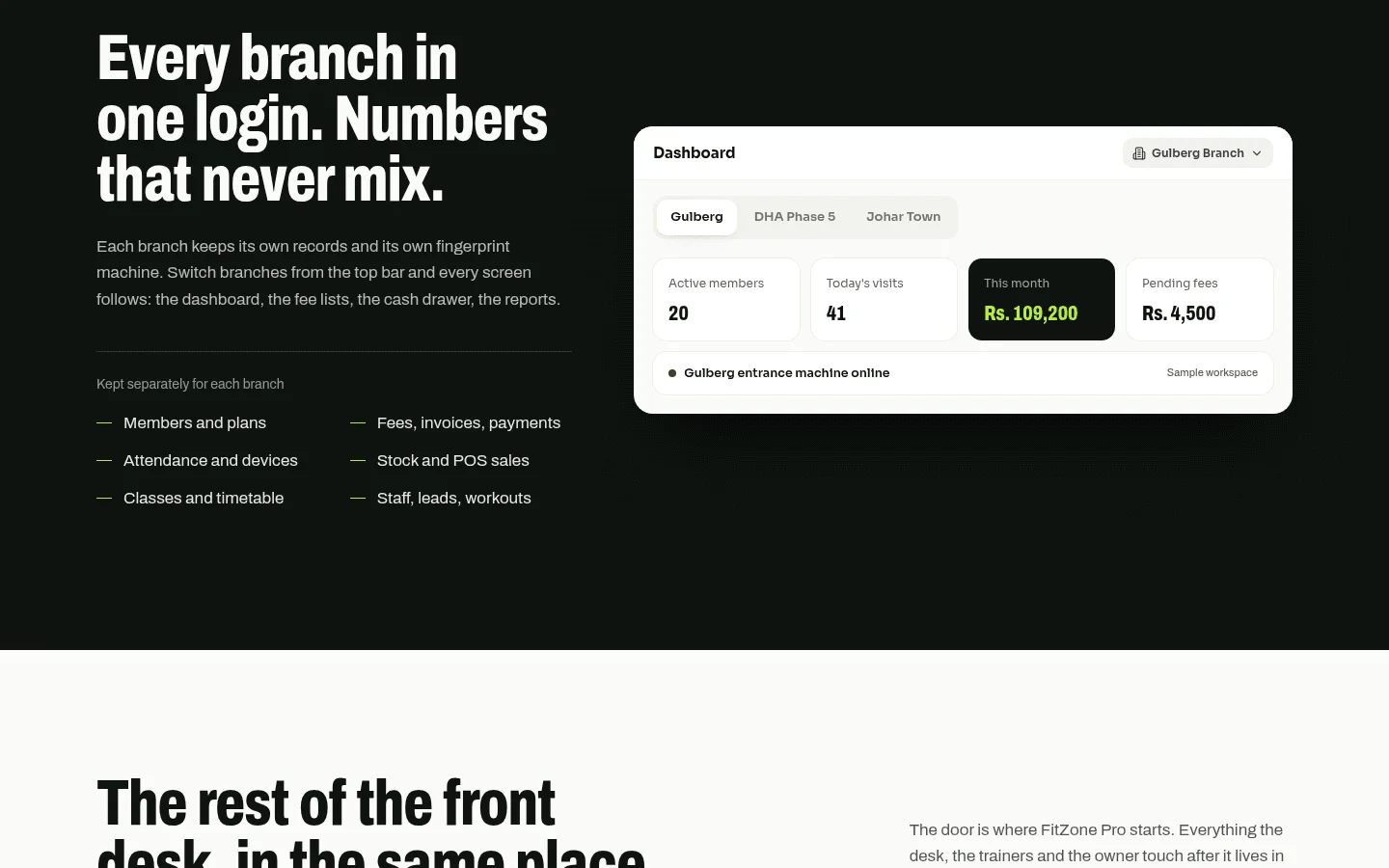
Yes, if the system supports it. A single system can cover several branches, with one dashboard and one central member record. Check three things in a live demo, not only from a brochure:
- A member who visits another branch is checked against the same membership.
- Each branch applies its own door rules, if you want them to.
- Class access can be set per member.
Ask these questions before you buy:
- Does a membership apply at every branch, or does each branch keep its own?
- Who can change door rules, and can a branch manager change only their own branch?
- How do reports roll up, both per branch and combined?
Our offices in Toronto and Thornhill mean GTA operators with several sites can talk through these rules with a team nearby.
8How do I choose the right system?
Use the same questions for every vendor, including us, and get the answers in writing.
| Criterion | What to ask | A good answer looks like |
|---|---|---|
| Billing control of doors | Does a failed payment or lapsed membership change door access without staff? | Yes, automatically, with a grace period you set |
| Hardware lock-in | Can I add readers from another manufacturer later? What happens to member data if I leave? | A clear answer, in writing |
| Consent tools | Does the system record express consent and support a non-biometric alternative? | Consent stored against each member, with a non-biometric option |
| Multi-branch support | Does one membership apply across branches, and can each branch set its own door rules? | Shown working in a live demo |
| Data export | Can I export members, payments and access logs in a standard format? | Yes, with a sample file |
| Support hours | When is support staffed, in Canadian time zones? | Hours that cover your opening times |
| Price and scope | Is the price fixed, and is the scope written before work starts? | Fixed price, written scope and launch date agreed before any work starts |
Treevoxa works this way on every project. The written scope, fixed price and launch date are agreed before work starts, and you own the code and the accounts. That matters for door access. Your member data and your entry rules should not depend on a vendor who can switch them off. If you want that scope for your gym, reach us through our contact page.
Before you sign any contract for gym software with door access Canada, run the billing test. This week, pull last month's failed payments from your billing records and check what your current door did for each of those members. That count shows how much a door linked to membership fees is worth to you. Then ask every demo to show a failed payment changing a door live.