
Gym management software runs memberships, billing, check-ins, classes and reports from one system, replacing the door list, the payments export and the spreadsheet you reconcile every Monday. This 2026 buyer's guide to gym management software New York owners compare covers three things: the full monthly bill once card fees and add-ons are counted, whether you need biometric gym access at the door, and which New York cancellation and signage rules touch your contracts. We build FitZone Pro gym management software, so we say so up front and name the situations where it may not suit you.
1What does gym management software do for a New York gym?
A gym management system keeps one record for each member. That record holds their contract, payment method, fee status, visit history and booked classes. Staff use it to sell memberships, take payments, run schedules, check people in and see what is happening across the business.
Gym membership software sits at the core of that. Its basic jobs are:
- Recurring billing charges members on a set date, retries failed payments and records what was paid.
- Check-in records a visit, whether by card, QR code, staff tap or biometric terminal.
- Scheduling manages class capacity, waitlists and trainer timetables.
- Reporting shows revenue, attendance, cancellations and fees due.
Use one question to test any demo: can you answer who owes you money and who came in today from one screen? If yes, the system is doing its basic job.
Everything beyond that core, such as branded apps, text messages and access hardware, is an add-on. Add-ons are where the bill grows.
2How much does gym management software cost in New York?
The gym management software cost you pay is rarely one number. Most owners pay for five separate things:
- The monthly subscription, often priced per location or per member
- Card processing, charged on every payment you take
- Onboarding and data migration, usually one-off
- SMS messages, a branded member app and website tools, often extra
- Access hardware such as biometric terminals, bought separately
Starting prices show the spread. Zen Planner lists a starting price of $99 a month. PushPress lists PushPress Pro at $159 a month. These are starting points from each vendor's published page, as of 8 November 2026. They are not quotes. A starting price does not include card processing or add-ons unless the vendor says it does. Older articles still quote prices that no longer match the vendors' own pages, so use the vendor page as your source.
Treat the monthly subscription for gym membership software as one line in the bill, not the whole bill. The next three parts show what else goes on it.
Is free gym software really free?
Not usually, once you look at the full bill. The bigger error is comparing headline fees alone. A $0 plan can still be the expensive option once you add processing, staff time and the features you need to pay for. Read any free plan the way you would read a free trial: find out what it leaves out and what it costs to add back.
What card processing adds to a $20,000 month
Card processing is the cost most comparison pages leave out. It is charged on your takings, so it grows with revenue whether or not you pay for more software.
Take a studio that takes $20,000 in a month. At an example card rate of 3.9%, processing alone comes to $780. Use your own processor rate, and check whether it includes per-transaction fees, which add up quickly on many small payments.
| Item | Figure |
|---|---|
| Monthly takings | $20,000 |
| Card rate (example only) | 3.9% |
| Card processing fee | $780 |
| Software subscription (example: PushPress Pro's listed $159) | $159 |
| Total monthly cost | $939 |
The sum uses one listed subscription price to make it concrete. It is not a recommendation of that product.
Here, processing costs nearly five times the subscription. That is why you should ask every vendor for a total, not a headline price. If your rate changes at higher volume, or a provider bundles software with payments, the total changes too.
Which add-ons change the final bill
Add-ons are where a low headline quote becomes a much larger bill. The usual ones are:
- Biometric terminals and their installation
- SMS reminders, billed per message or per block
- A branded member app, often priced separately
- Data migration from your current system or spreadsheets
- Onboarding and staff training
- Support above a basic tier
Ask each vendor to price every item in writing, with a monthly figure and a one-off figure. Ask which items the features in the demo need. If a feature only works with an add-on, that add-on is part of the price.
3Does gym management software connect to biometric access?
Yes, when the system is built to. Biometric gym access works in five steps:
- Enrolment. A member's fingerprint or face is captured at the terminal once and linked to their record.
- Match. When the member arrives, the terminal compares the scan with the enrolled records.
- Check. The software checks fee status and access rules, such as which branch or class the member can enter.
- Log. The visit is recorded against the member, branch and time, and appears on the dashboard.
- Decision. The door opens, or entry is refused and staff see the reason.
The check step is where fee status matters most. For the door side, see how to block gym members with expired fees at the door.
The hardware is a separate cost. Terminals, installation and any network work should appear on their own line, not folded into the software subscription.
The ZKTeco gym software page for FitZone Pro describes how ZKTeco fingerprint and face terminals link to member records. Read it alongside the questions below, because how a system behaves when a terminal fails or loses its connection matters more than the demo. Ask:
- Does the terminal keep a local copy of member records and fee status? For how long?
- Can it admit paid-up members while it is offline?
- What happens to visits logged during an outage, and do they sync when the connection returns?
- How does staff override a refused entry, and is the override logged?
- Who replaces faulty hardware, and how quickly?
Get written answers to these for your own setup before you buy terminals. For how attendance ties to fees, read linking biometric attendance to gym membership fees. You can check specifics with the Treevoxa team at any stage.
4Do New York biometric signage rules apply to gyms?
New York City's biometric identifier law requires businesses that collect biometric identifiers to post a notice at customer entrances. The rule sets a minimum size for that sign. Read the NYC rule text for the exact figure before you order signs.
Whether your gym falls under the law is a question for a lawyer, and the sources do not agree. Some summaries list fitness centres among covered businesses. Others list only places of entertainment, retail stores and food and drink establishments. Compare the commentary from Pollock Cohen and Goodwin with the rule text itself.
Get legal advice on your own setup before you install biometric terminals. A lawyer can tell you whether the rule covers your gym and what notice steps apply. Ask about the consequences of getting it wrong, too. If you are considering face recognition, the same question applies. See our guide to gym software with face recognition entry.
5Which New York laws cover gym cancellations and auto-renewals?
Cancellation rules shape how your software should work. If a member can sign up through one channel but cannot cancel through it, your system has to close that gap.
Three areas matter:
- Health club contracts. New York's health club law, General Business Law section 624, sets how members may cancel and how long they have after signing to change their mind. The NYC Bar's summary of health club membership contracts is a useful starting point. Take the exact cancellation channels and cooling-off period from the statute, through your lawyer, and write them into your contract.
- Automatic renewal. General Business Law section 527-a covers automatic renewal of certain consumer contracts. Check whether it applies to your memberships and what cancellation route it requires.
- Federal rules. A federal click-to-cancel rule was struck down by an appeals court in 2025. Do not assume a federal rule governs your gym. Check the FTC's current position before you rely on it.
Cancellation rules change, and bills on these topics come up in Albany regularly. Check the current text on the day you change your process, and check the New York State Senate website for bills that may affect you.
For New York gym software, the practical requirements stay the same whichever rules apply. Staff must process cancellations through every channel you accept at sign-up. The system should record the date and time, billing should stop from the correct date, and you should keep proof. For the recovery side of unpaid fees, read our gym dues recovery playbook.
6Which gym management software suits franchise or multi-site owners?
A single studio needs a clean member record, booking, billing, check-in and reports. Most mainstream systems handle that, so the decision usually turns on price, hardware and support.
A multi-branch gym software setup has to do more. Ask every vendor:
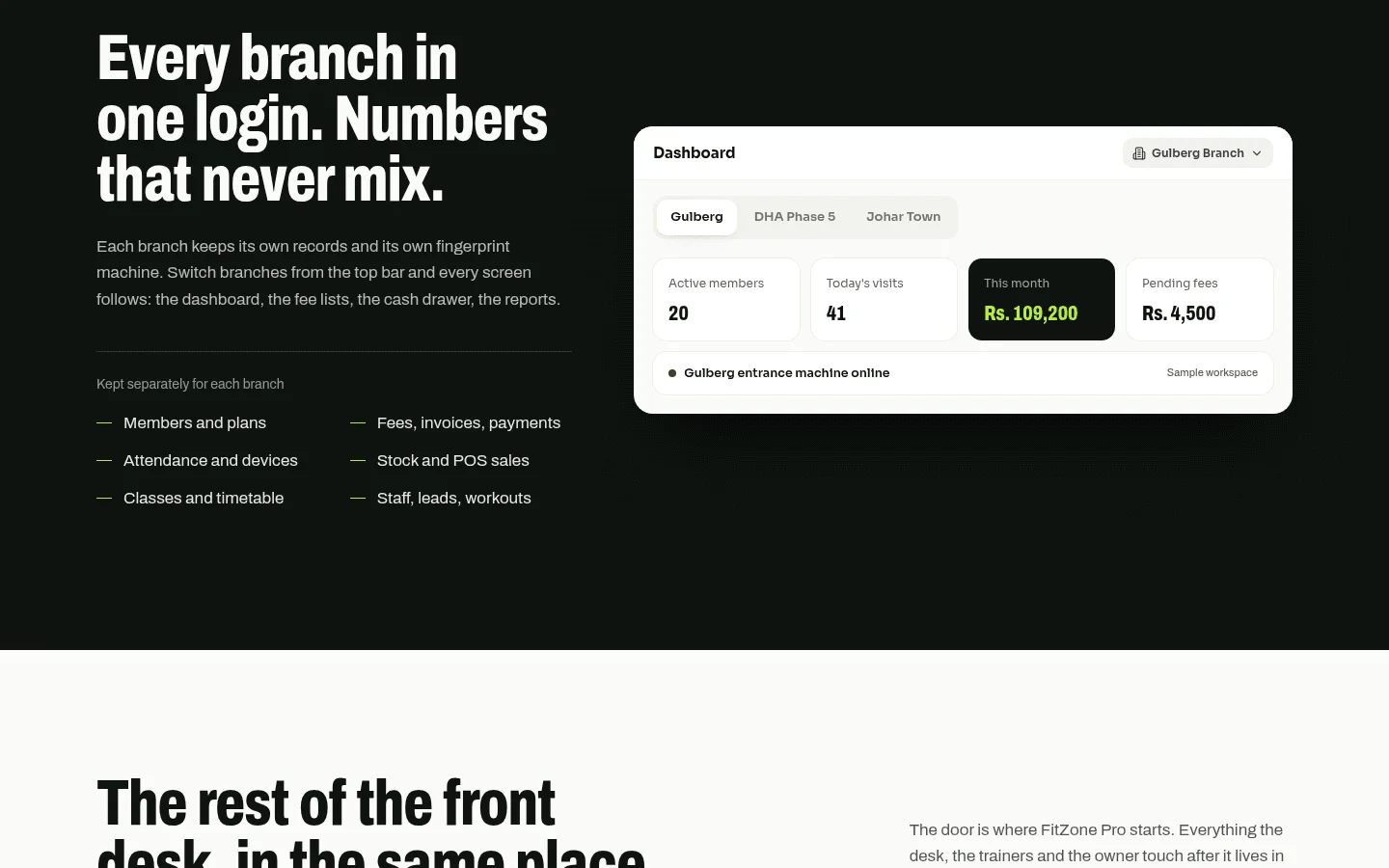
- Does one dashboard show every branch?
- Do members have one shared record, so someone who joins at one site can be managed at another, if you allow it?
- Are reports available per branch and as a group total?
- Is pricing per branch, per location or per member?
- Can you run franchise billing, such as royalties, if you need it? Ask for it to be shown in a demo rather than taking the feature list on trust.
Large chains often need enterprise platforms with custom quotes, and some vendors do not publish prices for multi-site plans. If you run a large network, expect a custom quote whichever vendor you choose.
For a mid-sized operator with two to ten sites who wants published pricing, ask for a written price at your exact branch count. A figure for one site does not show the cost of ten.
7How do you compare vendors without being misled?
Many best-of lists are written by a vendor that ranks itself first, and some comparisons are openly one-sided. A list can be accurate and still be arranged to favour its author. Check who wrote the ranking and what they sell.
This article uses published pricing pages and vendor articles as its sources. It gives starting prices as published, not as quotes to any gym. It does not run a hands-on trial of any competitor's product or hardware. Where a vendor does not publish a price, we say so and do not estimate. We build FitZone Pro, so read our section on it with that in mind.
Use this checklist with every vendor on your shortlist, and ask for the answers in writing:
| Item | What to ask | Why it matters |
|---|---|---|
| Total monthly cost, including processing | Get the subscription, processing rate and each add-on in one written total. | The subscription is often the smallest figure. |
| Pricing model | Is it per member, per location or flat? Get the definition of an active member in writing. | A per-member fee grows with your membership, and definitions differ between vendors. |
| Trial terms | How long is the trial, and does it include hardware and migration? | Trials and free plans often leave out what you will need. |
| Migration of members and history | Who moves the data, what does it cost, and which fields come across? | Members and visit history are hard to rebuild by hand. |
| Biometric hardware and support | Who supplies, installs and repairs terminals, and what happens when one fails? | A faulty terminal affects every member at the door. |
| Data export | Can you export members, contracts, payments and visits in a standard format, at any time? | Your exit depends on it. |
| Account ownership | Whose name are the payment, domain and admin accounts in? | If the vendor holds the accounts, you may lose access when the relationship ends. |
| Cancellation terms | How do you cancel, on what notice, and what happens to your data afterwards? | Your contract must match New York cancellation rules and your own exit plan. |
8Who owns member data if you switch gym software?
Member data is among the most valuable things your business holds. Before you sign, ask:
- Can you export everything, including members, contracts, payment history, visits and notes?
- Who holds the admin accounts, and can you add or remove users yourself?
- Whose domain name does your member app or booking page use?
- If the vendor stops trading or you leave, what do you receive, and how quickly?
With Treevoxa, you own the code and accounts. For a hosted subscription, the exit terms are the question. Get them in writing: what you can export, in what format, how long the vendor keeps your data after cancellation, and how you get it back. Test an export early, before you need it.
9Where does FitZone Pro fit, and where might it not?
FitZone Pro is our gym management software for gyms, studios and multi-branch franchises. Treevoxa has offices in Toronto, Thornhill, London and New York. For the purposes of this guide, its ZKTeco integration is the part that matters most: fingerprint or face terminals linked to member records, as set out on the ZKTeco gym software page.
It may not suit you if:
- You need an integration with another system, such as accounting or point-of-sale software. Confirm it for your setup before you assume it works.
- You use access hardware other than ZKTeco. Confirm compatibility before you buy terminals.
- Your branch structure or franchise billing rules are unusual. Describe them in full and ask.
- You need an enterprise contract with custom reporting across a large network.
For specifics on terminal behaviour, branch setup or pricing, check specifics with the Treevoxa team before you decide. For the pricing page, see FitZone Pro pricing. This article does not quote FitZone Pro figures beyond what that page shows.
10Before you choose gym management software New York
The short version for any gym management software New York shortlist: get the full monthly total in writing, including card processing and each add-on. Ask how biometric terminals behave when they fail. Confirm your signage and cancellation obligations with a lawyer. Make sure your contract gives you your data on exit. Put the same questions to every vendor on your shortlist.