
Face recognition gym access software is the system that decides whether a face gets through the door, and it sits at the centre of gym access control. The terminal only identifies the person. The software behind it checks whether that member is paid up, is inside the hours their plan allows and is past any grace period you have set, then opens the door or refuses. In a multi-branch gym that decision has to match at every site, and most of the cost and legal risk sits in those rules rather than in the camera. If you want to see the software side, start with FitZone Pro, gym management software.
1What does face recognition gym access software actually do?
A face or fingerprint terminal is a reader with a camera or sensor and a small processor. It compares the person in front of it with a template stored when the member enrolled, then sends a yes or no to the door. On its own, the terminal knows a face. It does not know whether the person has paid.
The gym software supplies the rest. It takes the identity from the terminal, finds the member record and applies your rules. Each scan should write a log entry with the branch, the door and the result. That log is what you check when a member says they were refused by mistake.
Gym access control is as much a rules problem as a hardware one. Biometric gym access is only as sound as the link between the device and the member ID. If the terminal and the software disagree about who a person is, the wrong person gets through or a paying member gets stopped. Treevoxa's work on the device side is described on the ZKTeco gym software page.
2What happens if the system does not recognise a member?
Failed matches are normal. Poor lighting, glasses or a face that has changed can all cause them. What matters is what happens next: a retry, a card fallback, or a staff override logged against the member.
Check that the log records the reason for each refusal, so you can tell a failed scan from an unpaid account. Ask the vendor to show you that path before you buy.
3Does it connect to my existing gym management software?
Often, but not automatically. The terminal and your gym management software must agree on one member ID for each person, or the door will act on the wrong record. Before you buy, check three things:
- Whether the terminal vendor offers a documented API or a file import.
- Whether the member ID format matches the ID in your current system.
- Whether you can export member and entry data in a standard format such as CSV, in case you change system later.
If you already run a system, ask the vendor to link a sample of members at two branches in a test before you sign. A mismatch found in a test costs far less than one found at the turnstile.
4How does the software stop members with unpaid fees?
At every scan the software asks three questions. Is the member paid up? Is the current time inside the hours their plan allows? Has the grace period you set for late payment run out? If any answer is no, the door stays shut and the terminal shows a message.
The grace period is the setting owners most often get wrong. A short grace suits a monthly direct debit that sometimes fails on the first. A longer grace on an annual plan paid in cash is a different policy. Choose it on purpose and write it into your membership terms, so the rule is not a surprise at the turnstile.
For the set-up steps, see Gym access: how to block gym members with expired fees at the door. This section covers the logic behind them only.
5How much does face recognition gym access software cost per door?
These figures are illustrative and dated 8 November 2026. They are planning bands in US dollars, not quotes.
The door and turnstile bands come from buyer-guide pages in our research. The unit fee band comes from a second buyer guide. We have not checked either against current vendor price lists, and hardware prices change. Get written quotes before you set a budget.
Worked example: three branches, two face terminals at each, six terminals in total.
| Line item | Illustrative band (USD, as at 8 Nov 2026) | Three branches, six terminals |
|---|---|---|
| Face terminal, hardware only | $1,500 to $5,000+ each | $9,000 to $30,000+ before installation and software |
| Per-unit monthly fee | About $10 to $30 a month per unit | $60 to $180 a month, or $720 to $2,160 a year |
| Turnstile lane, one per branch (alternative) | $7,000 to $50,000+ per lane | $21,000 to $150,000+ for three lanes |
The hardware line matters most at purchase. Six terminals at $1,500 to $5,000 each come to $9,000 to $30,000 before installation and software. Cabling, network work and labour are extra and vary by building. Per-door bands in the same sources run about $1,000 to $5,000, so a site survey will narrow the range.
A turnstile lane costs more than a face terminal and changes how people move through the branch. It is rarely the first choice for a studio.
Do not compare these numbers with wholesale marketplace listings. Those show bare turnstiles at unit prices, often with a minimum order, and leave out installation. The software fee is set out on Product pricing. If you are also scoping a custom build alongside the hardware, the software development cost calculator gives a starting estimate.
6Will face recognition stop members sharing passes?
For face entry, largely yes. A face cannot be handed to a friend the way a card, fob or QR code can.
The gap comes back when the fallback is a card or code that anyone can carry. Keep the fallback for members who are refused, require a staff check each time it is used, and log every override. The main control is enrolment: check the member's identity in person before the terminal learns their face.
7Does face recognition need member consent?
In the places covered below, a face scan usually needs consent, and that consent has to be a real choice. The UK Information Commissioner's Office says consent is not valid where there is no real alternative to face access. Its guidance on facial recognition technology is a useful reference. It does not bind a gym in New York, Austin or Toronto, but it shows what a regulator looks for.
The rules differ by place. Treat what follows as a checklist to take to counsel. It is not legal advice.
What should a valid consent form say?
Keep it to plain points:
- Why you capture the face, in one sentence.
- Whether the system stores a face template or a photo.
- How long the data is kept, and when it is deleted.
- Who the vendor is and where the data is held.
- How a member withdraws consent, and what happens to their access when they do.
Ask the vendor for a sample form. If it runs to pages of legal wording that no member could explain back to you, rewrite it.
Can a member refuse face recognition and still join the gym?
A member who declines face entry must still be able to join and use the gym. Give them a card, fob, PIN or QR code at the same door, or a staff check-in.
Running both costs more than one system. You pay for a second credential type, the cards or codes themselves, and staff time for manual entries. Budget for it at the start.
The alternative must not be a worse experience designed to push people toward the camera. If card holders get through in seconds and everyone else waits at reception, the choice you offered is not a real one.
8What happens to a member's face data when they cancel?
When a membership ends, the face template should leave the terminals and the server. That is the minimum. Good member data deletion has four parts, and each needs an owner.
The terminals. A template stored on a door unit must be removed, not hidden in an admin screen. Ask how removal is pushed to each device and how you confirm it happened.
The server and backups. A deleted record can sit in a backup for some time. Ask how long backups are kept and whether deleted records are purged from them.
Sub-processors. Your vendor may use a cloud host, a messaging service or a support tool that touches member data. Ask for the list, and check that each one is bound by the same deletion terms.
Confirmation. The member should receive written confirmation that deletion is complete, or your team should keep a dated log that shows it.
Then ask the vendor what 'deleted' means in the contract. If the answer is 'hidden', 'archived' or 'retained for reporting', that is not deletion. Get a specific deletion period written into the contract. This article does not give one, because we have not verified a window for every jurisdiction.
9Is facial recognition legal for gyms in New York, Texas or Illinois?
This section is not legal advice, and rules change. The points below come from secondary summaries dated 2021 to 2023. We have not re-read the statute and rule texts for this version. Status as at 8 November 2026. Confirm each point against the current text with counsel before you install anything.
What do New York City rules mean for a gym?
New York City's biometric law is Local Law 3 of 2021. It took effect on 9 July 2021. Law firm summaries say it requires businesses that collect biometric identifiers to post signs at customer entrances, and it bans selling biometric data. It names places of entertainment, retail and food businesses.
Whether a gym counts as a place of entertainment is the open question. The sources we read do not settle it, so ask counsel directly.
Three other points need confirming against the current law and rules:
- Whether individuals can sue under the law. The summaries say they can.
- The minimum size and wording of the signage the city's rule requires. We have not stated a size, because we have not checked the current text.
- Whether any vendor arrangement could count as selling biometric data.
Enforcement risk is not theoretical. One law firm's alert from March 2023 describes a class action filed under the law that month, as Nixon Peabody's alert reports. We have not checked the court record, so treat it as a lead for counsel rather than a settled fact.
What about Texas and Illinois?
Illinois's biometric privacy statute (740 ILCS 14, usually called BIPA) requires a written release before a business captures a biometric identifier. It also allows private lawsuits. The consent has to come before the first scan, not after it.
Texas's biometric law (Tex. Bus. & Com. Code § 503.001) requires notice and consent before capture. The state Attorney General enforces it. Read the statutes themselves, not vendor summaries of them.
For a multi-branch gym, the practical risk is one missing step repeated at every site. If one branch starts scanning before its consent forms are signed, every member enrolled there may be affected. Check that the consent step is complete before the first scan at each branch.
What about Austin, Raleigh and Denver?
Austin is in Texas, so the Texas points above apply there. We have not checked for any city-level rule.
Raleigh and Denver are different. We have not verified North Carolina or Colorado rules for this article, so we are not stating either state's position. Take the consent, signage and deletion checklist from this article to a lawyer admitted in that state before you install anything. If you are also building a custom system for a US site, see software development for US companies.
10What does Canadian privacy law mean for a gym?
The same caution applies here. Confirm each point with counsel before you act.
Canadian privacy law applies to a gym that collects member data in Canada, and regulators generally treat biometric data as sensitive. Three layers need checking:
- PIPEDA, the federal private-sector law. It generally applies to commercial activity in Ontario, which has no general private-sector privacy statute of its own. Its consent rules expect consent to be meaningful and collection to be limited to the stated purpose.
- Quebec's private-sector law, as amended by Law 25. It treats biometric information as sensitive, generally requires express consent to use it, and requires biometric databases to be disclosed to the Commission d'accès à l'information before they are put into use. Confirm the current timing with Quebec counsel.
- Ontario and other provinces may add guidance or rules. Confirm with counsel for Toronto and Thornhill sites before you install.
These points are orientation, not legal advice.
11Face, fingerprint or QR: which suits a multi-branch gym?
| Option | Speed at the door | Hardware cost band | Control over shared passes | Consent burden | What happens when a scan fails |
|---|---|---|---|---|---|
| Face | Hands-free and quick; slower in poor light | $1,500 to $5,000+ per terminal (illustrative) | Strong: a face cannot be lent | High: consent form and alternative path | Retry, card fallback or logged staff override |
| Fingerprint | Quick, but needs a clean finger | $1,500 to $5,000+ per terminal (illustrative) | Strong | High, same rules as face | Worn, wet or cold fingers fail; needs a fallback |
| Card or fob | Fast and familiar | Around $300 to $700+ per reader in one buyer guide; not verified | Weak: cards get passed on | Low | Lost card is reissued; ask the vendor about reader reliability |
| QR or PIN | Depends on the phone or typing | Not verified in our sources; get a quote | Weak: codes get forwarded | Low | Dead phone battery or forgotten PIN; needs a reset |
A common setup is face or fingerprint at main doors, with cards or codes as the fallback. That keeps most of the control over shared passes, though the fallback is where sharing can creep back in.
For a buyer's view of the hardware options, read Gym software with face recognition entry: a buyer's guide. Where ZKTeco terminals are part of the plan, the ZKTeco gym software page covers that side.
12Can one dashboard manage fees and access across several branches?
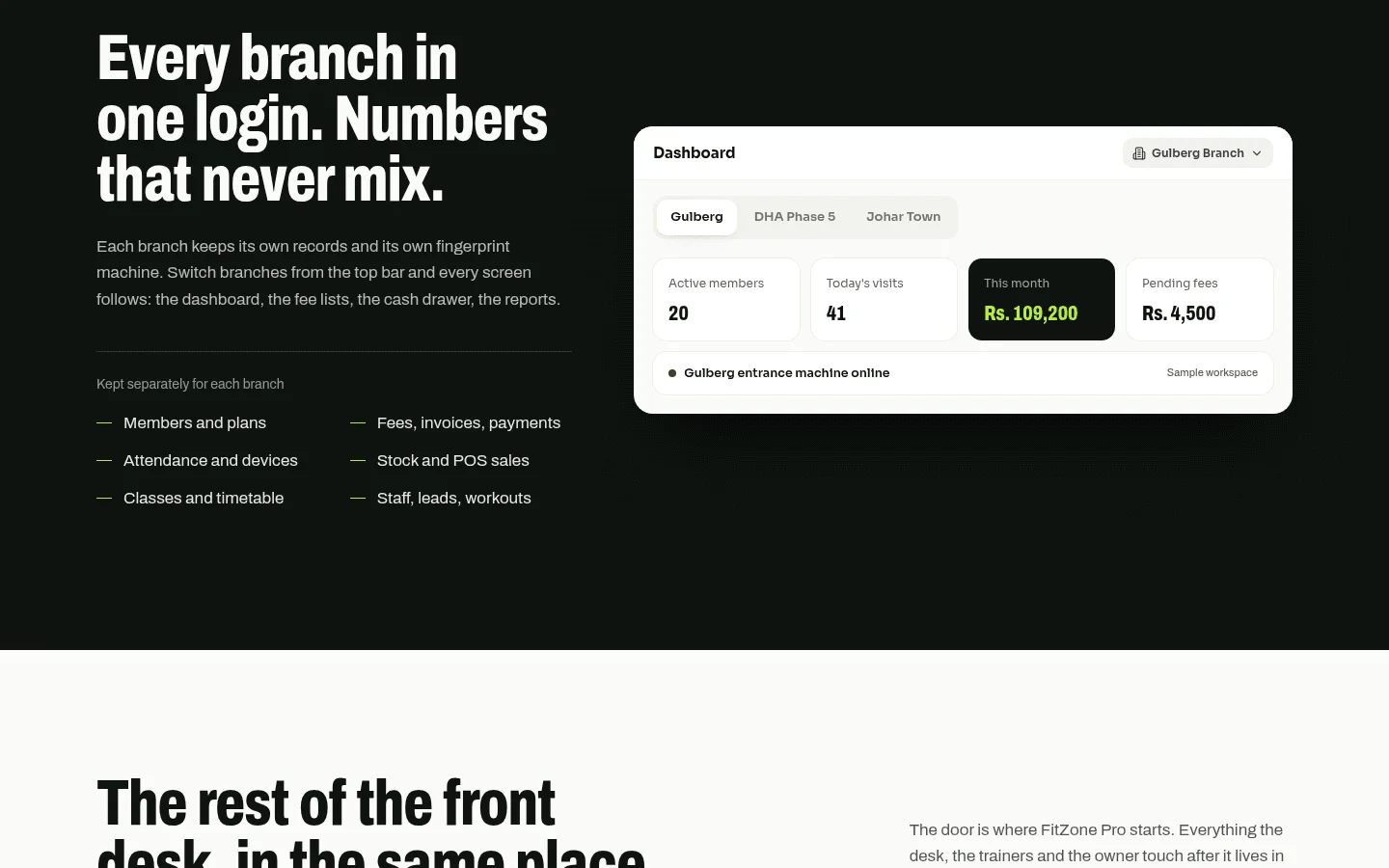
A multi-branch gym needs one member record, one fee status and one set of rules that can differ by site. Good multi-branch gym software has to do four things:
- Hold one record per member, shared across branches, so a member who pays at one site is paid up everywhere.
- Show fee status at every terminal, not only at the desk where the member paid.
- Set permitted hours per branch. A 24-hour site and a site open 6am to 10pm should not share a rule.
- Roll reports up to head office: entries, refusals, overrides and fee blocks, by branch and in total.
Fees are the link most owners miss. Access control that blocks non-payers only works if gym membership fees are current. A branch that records payments late will let people in unpaid.
For the collections side, see Gym dues recovery: a playbook for collecting unpaid membership fees. For how attendance data connects to billing, see Linking biometric attendance to gym membership fees.
13Should I pilot at one branch before rolling out to all of them?
For most owners, yes. Before you buy face recognition gym access software for every site, choose one branch with steady check-in traffic. Avoid the newest or quietest site, because a quiet branch will not show you queue problems. Then:
- Set consent and signage before the first scan.
- Run for about 30 days alongside your existing check-in, so you can compare the two.
- Each week, track failed scans, queue length at peak times, unpaid-fee blocks and manual overrides.
- Log what members complained about and what staff had to fix by hand.
Here is a return check with example numbers. These are not results. Suppose front-desk staff spend three hours a week on manual check-in at one branch, and that time costs $20 an hour. That is $60 a week, or $3,120 over 52 weeks.
At the bottom of the hardware band, two terminals cost $3,000, plus $10 a month per unit, or $240 a year. Year one costs $3,240 against $3,120 saved, which is roughly break-even.
At the top of the band, two terminals cost $10,000, plus $720 a year in unit fees. Year one costs $10,720. After fees, the saving is about $2,400 a year, so the hardware takes about four years to pay back.
The example leaves out fees recovered and shared passes stopped, which may be worth more than the staff time. Put your own figures in before you decide.
14What should you check in the vendor contract?
Before you sign, ask every vendor, including Treevoxa, for written scope and a fixed price before work starts. Then check the terms below.
| Check | What to ask for | Why it matters |
|---|---|---|
| Written scope and fixed price | Scope, price and launch date in writing before work starts | Stops change requests quietly raising the cost |
| Data processing terms | Who processes face data, where it is held, and under what terms | Sets who is responsible when something goes wrong |
| Deletion on cancellation | Removal from terminals and server within a stated period, with written confirmation | The core of member data deletion |
| Connection and export | A documented API or import, the member ID format, and exports in standard formats such as CSV | Lets you link to your current system and leave without retyping members |
| Ownership of member data | A written statement that you own the member data | Stops your records being held back if you leave |
| Support for failed matches | Response times and the fallback process | Queues at the door usually come from failed scans |
| Hardware warranty | Length of cover, what it includes, and who handles returns | Dead terminals mean locked doors or manual entry |
If a vendor cannot answer the deletion questions in writing, treat that as the answer.
15What should you do before you buy?
Face recognition gym access software is worth buying when the door, the fee record and the consent process all agree. Start with a pilot at one busy branch, get the data processing and deletion terms in writing, and take the legal checklist to counsel in every state or province where you will install. A rule that works at one branch and fails at the others is the bigger risk, so check the rules before you check the camera.