
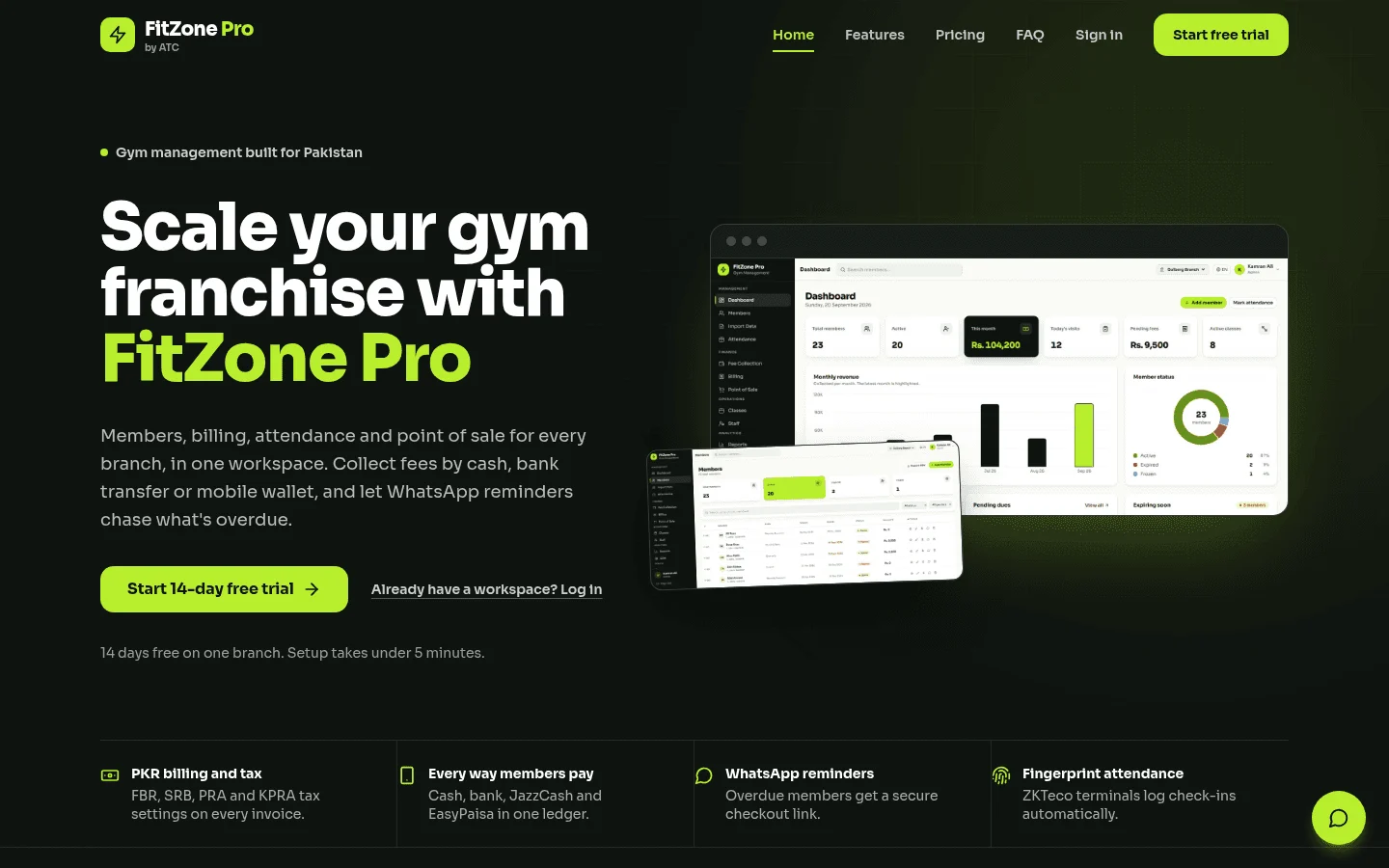
Gym management software Toronto gyms can rely on keeps member records, fees, renewals, check-ins and reports in one system. In Toronto it also has to bill in Canadian dollars and fit Ontario's consumer rules. FitZone Pro gym management software is built by Treevoxa, the company that wrote this guide, so weigh our view with that in mind.
This guide covers what the software must do, what it costs once you add up every line, and what to check on biometric entry and member data. It also covers moving members and fees off spreadsheets, which most vendor lists skip. This is a method for comparing gym software Toronto owners are offered, not a ranking. It is written for owners, general managers and operations leads of independent gyms, studios and small multi-branch chains in the GTA. Where a point depends on FitZone Pro details we have not yet confirmed in writing, we say so and tell you what to ask.
Nothing here is legal advice. Treat the Ontario and privacy sections as a list of questions for your lawyer and your vendor.
1What must Toronto gym management software do?
Start at the front desk. Staff should see who is paid up, who owes money and who is due for renewal without opening a second screen.
Use the table below to score any shortlist, including ours. Directory listings show many products, and their prices often disagree. The checklist tells you more than a directory ranking.
| Must-have feature | Why it matters for a Toronto gym |
|---|---|
| Member records with fees and renewal dates | Staff see payment status before a member reaches the desk. |
| Billing in Canadian dollars | Invoices and statements show CAD, so you are not converting by hand. |
| Pre-authorised debit (PAD) support | Many gyms collect monthly fees this way. Confirm support in writing. |
| Access control tied to membership status | The entry point reflects whether the membership is current. |
| Fields for Ontario contract dates | Start, cooling-off, renewal notice and refund dates need a place to live. |
| Reports by branch and for the group | Owners with several sites need both views. |
| Support hours stated in Eastern time | You need to know who answers on a Friday evening. |
| Full data export | Your member list must be able to leave with you. |
Members, fees and renewals on one record
FitZone Pro is designed to show fees and renewal status on the member record. Staff see payment status at check-in, without cross-checking a bank report at the desk.
Ask for a live demo of a lapsed fee. Look for four things: the status, the date it lapsed, what the front desk sees at check-in, and what appears in the owner's reports. If any of the four is missing, the record will not do the job on a busy Monday morning.
How ZKTeco terminals link to member records
FitZone Pro links ZKTeco fingerprint or face terminals to member records. The ZKTeco gym software page covers the set-up. For the fee side of the same set-up, read linking biometric attendance to gym membership fees.
In general terms, a terminal at the entrance reads a fingerprint or a face. It matches that reading against what it holds for an enrolled member. Exactly what is stored, where, and how the terminal decides to open the door depends on configuration. We have not yet confirmed that logic in writing, so ask for it before you buy.
Put three questions to the vendor. What does the terminal capture? Where is that data stored? How is it deleted when a membership ends? Get the answers in writing before any terminal goes in.
Classes, retail, staff and CRM
Four areas sit beyond member records. Class booking shows who is in each session and replaces paper sign-up sheets. Retail sales link shop items to the member's account. Staff roles decide who can change fees, issue refunds or see reports. CRM features help you follow up with leads and lapsed members. If you need a CRM shaped around your own process, Treevoxa's CRM development service covers that.
The module list sits on the FitZone Pro gym management software page. Map it against your daily tasks, not against a feature grid. For each module, ask who will use it and whether they can finish their job without a workaround. A feature nobody uses at the front desk is a cost, not a benefit.
2How much does gym management software cost in Toronto?
Pricing comes in three shapes, and many gyms pay for more than one:
- Per location: a flat monthly fee for each site.
- Per member: a fee that rises with active members.
- Per device: a charge for each access terminal.
Listings for gym management software Canada buyers can compare often disagree on price. The three below do not state a currency. Editorialge lists Mindbody from $79 per location. Flozic lists it from $99. Zen Planner's pricing page starts at $99 a month, scaled to active members. These are starting points for a conversation, not quotes. We have not checked them against each vendor's own site for this guide.
For FitZone Pro's own pricing, see product pricing.
Card processing can also be a large cost. Editorialge notes that it can be a gym's largest software-related expense, so a low subscription can still produce a high bill.
Use the checklist below for a 150-member gym. It is a template, not a quote, and we have not added the lines into a total.
| Cost line | What the sources show (as at November 2026) | What to get in writing from the vendor |
|---|---|---|
| Software subscription | Editorialge: Mindbody from $79 per location. Flozic: from $99. Zen Planner: from $99 a month, scaled to active members. PATO: Gymdesk US$75 to US$325 a month. Currency is not stated for the first three. | Monthly price for 150 active members, per location, with currency and what is included. |
| Card processing | Not published in the sources reviewed. | Processor name, percentage and per-transaction rates, monthly fees, and charges for failed payments and refunds. |
| Access devices | PATO lists Gymdesk access control at US$100 a month for up to 3 devices. Not checked against Gymdesk's own site. | Number of devices, per-device or per-site fee, hardware cost and installation. |
| Migration | Not published. | Fixed one-off quote for export, cleaning, mapping and terminal enrolment. |
| Sales tax (HST) | Not verified for this guide. | Whether the quoted price includes HST. |
To add it up, take the software subscription, add card fees and add device fees. That gives your monthly cost. Migration is a one-off cost, so divide it by the months of your contract if you want to compare monthly figures. Convert any US dollar figure at the exchange rate on the day you compare, and write down which rate you used.
We have not published a total. HST treatment and Canadian processor fees are not verified for this guide, and a total built on those gaps would mislead you.
Card processing and access device fees
Card fees and device fees sit outside the headline price. A software quote can be accurate and still leave out the biggest line.
Device fees vary by vendor. As one example, PATO lists Gymdesk's access control at US$100 a month for up to three devices. Treat that as a figure to verify, not a current price.
Ask every vendor to put each fee in writing: the monthly software fee, the per-device fee, the card processing rate, and any charge for failed payments or refunds. A verbal "about" figure is not enough.
Tax and payment fees to check before you compare
This guide does not confirm how HST applies to gym software charges, or which payment processor fees Canadian merchants pay. Ask each vendor these three questions, in writing:
- Do the quoted prices include HST? If not, how is it added?
- Which payment processor do you use, and what does it charge a Canadian gym?
- Are card payments charged in CAD, or converted from another currency?
Compare totals only after every vendor has answered all three.
3Can fingerprint or face terminals be used in an Ontario gym?
Yes, but member privacy rules apply, and they limit how you can use them.
For gyms, the federal private-sector privacy law, PIPEDA, generally applies, because members are consumers. The Office of the Privacy Commissioner of Canada publishes guidance on biometrics. Read the current version before you install anything: OPC guidance on processing biometrics.
Our sources say biometrics generally cannot be made a condition of service unless they are integral to it. They also say you should collect only what your purpose needs. Confirm both points against the OPC page itself before you rely on them.
Quebec has its own private-sector privacy law, with its own requirements. If you have members or operations there, check those rules separately.
This is general information, not legal advice. Get a privacy review from a lawyer before you install biometric terminals.
What the federal biometric guidance says
Use the OPC guidance as your reference. Put these questions to every vendor, and get the answers in writing:
- Why do we need biometrics, and could the same purpose be met another way?
- What exactly does the terminal capture, and is an image stored?
- Where is biometric data held (on the terminal, on site or in the cloud), and who can access it?
- How do members give consent, and how do they withdraw it?
- How is the data deleted when a membership ends?
- What is the least data this set-up needs to do its job?
Offering a non-biometric option
Members need a choice of entry method. Some will not want a fingerprint or a face on file. A gym that makes the terminal the only way in may conflict with the principle that biometrics cannot be mandatory unless integral to the service. Confirm that point with counsel.
Ask every vendor which non-biometric entry options their system supports with your terminals and front desk. We have not yet confirmed which options FitZone Pro supports, so do not assume. Get the answer in writing, and test the alternative with a real member before launch.
If face recognition is on your list, our gym software with face recognition entry guide covers that option.
4What do Ontario gym contract rules mean for renewals and refunds?
Ontario's rules for gym memberships sit in consumer protection law. Older articles quote the Consumer Protection Act, 2002. A newer Consumer Protection Act, 2023 has received Royal Assent. Check e-Laws to see which Act is in force on the day you read this. Do not rely on any article for the current wording, including this one.
We have not verified the specific periods for cooling-off, renewal notice or refunds, so this guide does not list them. Your lawyer should confirm them.
The software's job is to hold the dates those periods depend on, so you can show what happened and when. For any gym software Ontario vendor, ask one question first: does the member record hold the dates the rules need?
Cooling-off, renewal notices and refunds
Once your lawyer confirms the periods, the member record should hold the dates that drive them:
| Record field | Why it matters |
|---|---|
| Contract start date | Starts every other period. |
| Cooling-off end date | Shows whether a cancellation falls inside the period. |
| Expiry date and renewal notice date | Shows whether notice was given within the required window. |
| Cancellation or refund request date | Starts any refund clock. |
| Refund due date and date paid | Shows whether the refund was made on time. |
A refund dispute usually turns on a date. Keep those dates in the member record, not in an email folder.
Stopping access when a fee is unpaid
Access blocking ties billing to the door. When a fee lapses, the record should show it, and the terminal or front desk should see the status at check-in. Test that link with a test member before launch. For the door side of this, see how to block gym members with expired fees at the door. Unpaid fees also need a collection process, covered in gym dues recovery.
Before you block anyone, check your membership terms and notice rules with a lawyer. A member who did not receive a renewal notice or a refund on time can turn a billing gap into a complaint. The software can stop the door. It cannot decide whether you are allowed to.
5Can I move my members and fees off spreadsheets?
Most gyms start with a spreadsheet. It works until the second site, the first refund dispute or the first member who asks where a payment went. Moving off it is the part vendor lists skip, and it is where most of the risk sits.
Work through these steps in order. Check each one before you move on.
| Step | What to check |
|---|---|
| 1. Export the spreadsheet | Save a copy first. Leave the original untouched. |
| 2. Remove duplicates | Match on phone or email as well as name. Two members with the same name are common. |
| 3. Map each member to a plan and fee | Every member should map to one plan. List anyone who does not, and decide each case. |
| 4. Carry over renewal dates and payment history | Renewal dates and last payments should match your bank or processor records. |
| 5. Enrol terminals | Enrol members on terminals only after their records are clean. |
| 6. Run old and new systems side by side | Keep both running for a short, agreed period. Check a sample of members in each. |
FitZone Pro lists migration among its features. We have not yet confirmed in writing what that migration covers. Ask which fields it imports, how it handles duplicates, and who does the cleaning. The steps above still apply, because software can only import what your spreadsheet holds.
Before you commit to a full move, ask for a sample migration of 20 records from your own file. Choose the awkward ones: a member with a lapsed fee, a member with a long payment history, and a member on a plan you no longer sell. If those 20 arrive correctly, you have a good test for the rest.
6Can one dashboard run several gyms across the GTA?
FitZone Pro runs every branch from one dashboard. That suits franchises and small chains with sites across the GTA. A single dashboard does not settle pricing or reporting, though. Check these points before you sign:
- Member transfers: Can a member move between branches without a new record or a new fee? We have not yet confirmed this.
- Reporting: Can you see each branch on its own, as well as the group as a whole?
- Fee schedules: Is there one schedule for the group, or a separate one for each site?
- Per-site costs: Multiply software and device costs by each site, then add card fees for each.
Treevoxa has offices in Toronto and Thornhill, so the team works in the GTA.
7Do I own my member data if I leave the software?
Treevoxa's position is that clients own their code and accounts. That matters most for custom work. For a hosted product such as FitZone Pro, the practical question is who holds your member and payment data, and how you get it out.
Ask for these answers in writing before you sign. Do not rely on a general statement:
- In what formats can we export member, fee, renewal and payment data?
- How long does an export take, and does it cost anything?
- What happens to our data when we cancel, and how long is it kept?
- Who holds a copy after we leave?
We have not yet confirmed FitZone Pro's export and exit terms in writing. Treat a full data export as a test, not a line in a brochure.
8When is off-the-shelf gym software the wrong choice?
We build FitZone Pro, so weigh this answer with that in mind. Off-the-shelf software is the wrong choice in three cases:
- Your membership rules are unusual, for example a corporate contract or a mix of pass types the product does not model.
- You need reports the product does not produce.
- You need to connect to a system the product does not support.
In those cases, a custom build may fit better. Treevoxa agrees the written scope, a fixed price and a launch date before work starts. For custom work, web application development is the place to start. For a rough sense of cost, use the software development cost calculator. It is for custom builds, not for buying FitZone Pro. Our custom software development cost guide explains what drives a custom build's price.
If the gap is small, ask whether the feature is on the product roadmap, and get the answer in writing.
9How do you test gym management software Toronto before you sign?
Run these checks before you sign. Use your own members, your own spreadsheet and your own terminals wherever you can. A demo shows the best case. Your test shows your case.
If you want us to run these checks against your own spreadsheet and terminals, talk to our team.
| Test | What good looks like |
|---|---|
| Billing in CAD, with card payments | Charges and invoices show Canadian dollars. PAD support is confirmed in writing. |
| Support hours | Written hours in Eastern time, with a named route for urgent problems. |
| Test member with a lapsed fee at a terminal | The terminal and front desk show the status the vendor showed in the demo. |
| Full data export | You receive members, fees and payment history in a usable format. |
| Sample migration of 20 records | All 20 arrive with the right plan, fee and renewal date. |
| Quote listing card and device fees | Every line is in writing, with currency and HST treatment stated. |
| Written scope | Modules, branches, terminals and launch date are agreed in writing before you pay. |
Get every answer in writing. A verbal yes at the demo is not a test result.
10What should you check first on gym management software Toronto?
Gym management software Toronto gyms rely on should bill in Canadian dollars, link access to membership status and hold the dates Ontario's contract rules depend on. Check each point in writing, and test it with your own members and terminals. If the software cannot do the job, a custom build may be the better route. Either way, the written answers matter more than the demo.