
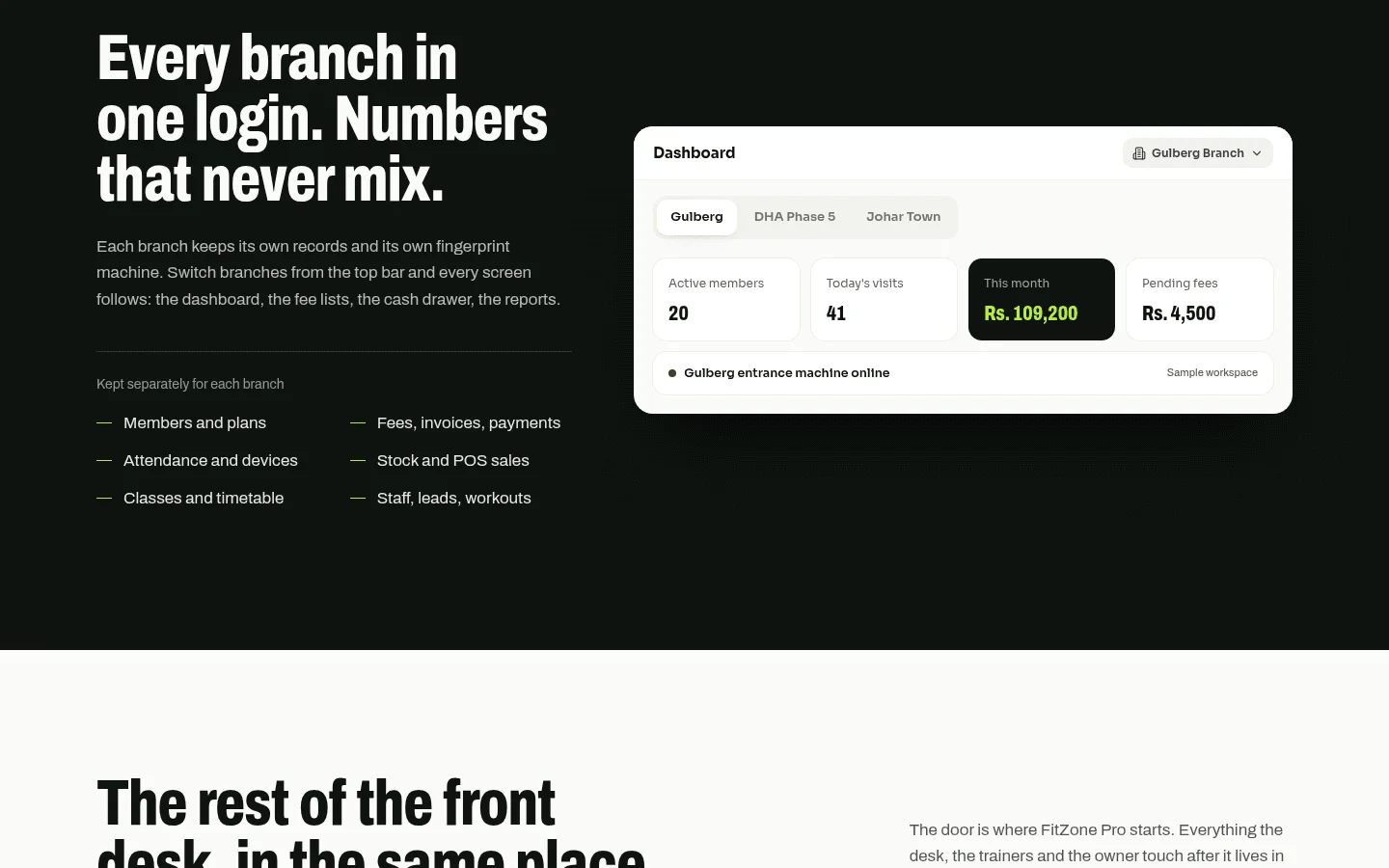
Gym retail point of sale software is one till that sells memberships, classes, day passes and shop products, takes payment, and records every sale against the member's account. That last part is what separates it from a card terminal. A general terminal can take a card for a water bottle, but it cannot tell you that the member at the desk is three weeks behind on dues. FitZone Pro gym management software is Treevoxa's own product, so you should read this guide knowing where we stand. We have written it so the checklist still works if you buy from someone else.
1What is gym retail point of sale software?
A general card terminal takes payment and stops there. It has no concept of a membership, a renewal date, a class pack or a balance owed. A shop till is built around a basket of goods and a price. A gym retail till has to handle a different set of objects: a member with a contract, a day pass for someone who has never joined, a class booking that uses up one credit, and a shop item that reduces stock.
The practical test is simple. After a sale, can you open the member's record and see what they bought, what they paid and what they still owe? If the answer needs a second system, a spreadsheet or a call to the manager, you have a payment tool with a retail counter attached.
Owners also search for gym POS software, and it is the same category. Some vendors sell it inside a wider gym management platform. Others sell a standalone till. The depth varies a lot, and the rest of this guide is about checking that depth.
2Do I need a gym-specific till or will a card terminal do?
A studio that takes a few card payments for drinks and towels may manage with a standard terminal. Once you sell memberships on account or class packs, the gaps show up quickly.
Ask yourself which of these you do:
- Sell memberships that renew on a date
- Sell class packs that use up credits
- Let members buy on their account instead of paying at the counter
- Track stock that needs a reorder
If you do any of these, a gym-specific till saves you from working around a tool that was never built for them. If you do none, a standard terminal may be enough for now.
3What must a gym retail till do from day one?
If a vendor cannot show these on screen, stop there.
| Feature | Why owners need it | Ask the vendor |
|---|---|---|
| Member lookup at the desk | Find the right person in seconds | Search by partial name and by card scan |
| Sale charged to a member account | Keeps shop spend on the member record | Where does the charge land, and can the member see it? |
| Day pass and guest sale | Captures non-members without a full account | Is a guest record created, and can it convert to a member? |
| Product variants | Each size or colour is its own stock line | Show one shirt in three sizes with separate counts |
| Stock count that drops with each sale | Stops the shelf and the record drifting apart | Show the count before and after a sale |
| Low-stock alert | Reorders happen before the shelf is empty | What triggers the alert, and where does it show? |
| Refunds and voids | Mistakes happen, and you need an audit trail | Who can refund, and does stock update? |
| Receipts by email or print | Members expect proof of purchase | Show both options on one sale |
| Staff log-ins with permissions | Limits who can discount or refund | Can a front-desk user be blocked from refunds? |
| Daily close report | Matches the till, the drawer and the card batch | Show yesterday's close, split by payment type |
Most gyms need every row. A studio that sells only water and towels can drop a few, but refunds, stock and the daily close apply to any till.
4Can members buy shop items on their membership account?
Yes, if the till and the membership system share one member record. The case for one system rests mostly on what happens without one.
Consider a composite example: a 300-member gym. It is not a real client, but the pattern is common. Members pay monthly dues by card. The shop sells protein, towels and grip chalk on a separate till, and classes are booked through a different app. A member two payments behind can still buy a drink at the counter, because the shop till has no idea about the dues. The manager finds out at month-end, when the dues run fails and someone chases it by email.
The fix is not better staff. It is a till that shows the balance before the sale. When a member is overdue, the desk can collect the overdue fee in the same transaction, or hold the sale until a manager decides. Either way, the decision happens at the counter, with the facts on screen. Write the overdue rule down before go-live, so front-desk staff are not making it up on a busy Monday. For how to collect what is owed, read gym dues recovery.
If your entrance uses biometric check-in, the ZKTeco gym software page is a place to start. Then check whether the desk sees check-in status and balance on the same screen as the sale. If it does not, your front desk is working from two windows. To make the door follow the same rule, see how to block gym members with expired fees at the door.
Be fair about who does not need this. A studio that sells a few items at the front, with no memberships on account and no class packs, can probably run a simple retail till. Once you sell recurring memberships, the case for one shared record gets strong quickly.
What goes wrong with two separate tills?
A pro shop point of sale that runs apart from the membership system causes three failure points again and again:
- Duplicate entry. The same member is typed into the membership system and the shop till. Names get spelled differently, and the shop record never picks up the membership number.
- Missed balances. The shop sells to someone who owes money, because nothing on the till says so.
- Manual reconciliation. Month-end means exporting two files, matching them by hand and explaining the gap. A few hours a month becomes a standing job for someone who was not hired for it.
Each problem costs little on its own. Together they are the reason owners feel the software is failing them. Usually the software is working as designed. The two systems were never joined.
5How do I track stock across several branches?
Stock is easy to describe and hard to run across sites. A till that handles one shop cupboard can fail quietly once there are three. Any multi-branch gym software needs a clear answer on four points.
Take a composite three-site franchise. Again, this is a built example, not a real operator. Each site keeps its own shelves. Head office wants to know which site sold the most protein, which employee applies discounts most often, and whether one location is overstocked on hoodies. Four things make that answerable:
- Stock held per branch. Each site has its own count. A sale at one site reduces that site's count, not a group total.
- Transfers between branches. Moving six tubs of powder from one site to another should leave a record at both ends, with a date and a name.
- A head-office view. Sales by location, product and employee in one report, without logging in to each site.
- Prices by branch. A multi-site owner in Denver or New York often needs a price that differs by location. Ask whether a price change applies to all sites or one, and whether the other sites keep the old price.
How far any product supports these points is a question for the vendor, not the brochure. Check each one on screen, using two test branches, before you accept it.
6How do refunds work when a member has already paid?
A refund should touch three records: the payment, the member's account and the stock count. If the item went back on the shelf, the count should go up. Every refund and void should also leave an audit trail showing who made it.
Decide who can refund before the first sale. A front-desk user should not be able to refund a membership payment unless you have decided they can. Test a partial refund on a split payment during your demo, as set out below.
7Does gym retail point of sale software need the internet to work?
There are two models. Some tills keep taking sales when the connection fails and sync later. Others stop until the connection returns. Neither is automatically better, but you need to know which one you are buying.
Put these questions to every vendor:
- Can the desk still look up a member, and does the till show the last known balance?
- Can it take a card payment offline, and who carries the risk if that card later declines?
- Does member check-in still work, or does the door stop?
- If two branches sell the last item offline, what happens when they sync?
- Does the screen clearly show when the till is offline?
A flat 'we're always online' is not an answer, so ask for the behaviour in writing. Your card processor sets rules for offline card payments as well, and that answer should come from them too. Treat a verbal recovery time as no commitment. If a vendor will not put a figure in the contract, that tells you what you need to know.
8What should I expect to pay per month, including card fees?
The software fee is the number on the pricing page, and it is rarely the biggest number. Total monthly cost has five parts:
- Software fee: a monthly plan, often per location or per member tier.
- Card processing: a percentage plus a per-transaction fee on every card sale, including gym membership billing if you bill by card.
- Hardware: card readers, a receipt printer, a tablet or terminal and a cash drawer, often bought up front.
- Setup and data migration: a one-off cost, which can repeat if you add a branch.
- Staff time: training and hours spent on reconciliation.
This guide does not quote any vendor's current prices. Check each vendor's pricing page directly before you compare. The worked example below shows the shape of the costs, and every figure in it is an assumption. Swap in your own numbers.
| Line | Assumption | Monthly cost (USD) |
|---|---|---|
| Software fee | Flat monthly plan (placeholder) | $150.00 |
| Hardware | $1,200 one-off, spread over 36 months | $33.33 |
| Card fees on shop and day-pass sales | 173 sales a month (about 40 a week) at $12 average, 2.9% + $0.30 each | $112.10 |
| Card fees on memberships | 300 members at $60, paid by card, 2.9% + $0.30 each | $612.00 |
| Reconciliation time | 3 hours a month at $25 an hour | $75.00 |
| Total | $982.43 |
The example is in US dollars, and the 2.9% + $0.30 card rate is a placeholder for illustration. Canadian owners should substitute their own processing rates and currency, because rates vary by provider and by market.
Two things stand out. Card fees are the largest line, not the software. In this example, membership card fees are far larger than shop fees. So a lower monthly plan can cost more overall if the processing rate is higher. Compare the all-in figure, not the plan price. If memberships are billed through a separate system, those fees move out of the till's cost, but they still exist.
Tax needs its own check. Sales tax treatment of memberships, day passes and shop products depends on the province or state and on the product. Before you set prices in the till, confirm the position with your accountant. In Canada that means the CRA for GST/HST and the relevant provincial authority for PST, where it applies. In the US, check with your state revenue office. If you run a studio in Toronto or Thornhill, also ask the vendor how the card processor settles to a Canadian bank account.
If you are weighing a custom build, the software development cost calculator gives a starting estimate. Treevoxa's own plans are on the Treevoxa product pricing page.
9What hardware do I need for a gym till?
A gym till usually needs a card reader, a receipt printer, a tablet or terminal and a cash drawer. These are the hardware items in the cost list above.
Ask two questions for each item:
- Do you buy it outright, or does the vendor lease it?
- Will it still work if you switch to another system?
Leased hardware can add to the cost of leaving, and it may not come with you. Check that the card reader works with your payment provider before you order.
10What should you test in a demo before you sign?
Run this yourself, in about 30 minutes, on a test member and a test branch. Do not let the vendor drive. If they will not give you a test account, ask for a sandbox.
| Test | Pass if |
|---|---|
| Sell a shop item to a member with an overdue fee (5 min) | The balance shows before payment, and the sale follows your overdue rule |
| Refund one part of a split payment (5 min) | Only that amount goes back to the right method, and the member record and stock both update |
| Sell a day pass to a non-member (3 min) | A guest record is created and the receipt shows the pass |
| Change a product price for one branch only (5 min) | Other branches keep the old price, and the change is logged with a name and date |
| Run the daily close (5 min) | Totals by payment type match the drawer count and the card batch |
| Export the sales data (5 min) | You get a file you can open in a spreadsheet, with member ID, date, item, amount and staff name |
If you run one site, skip the price test. Score each test as pass, partial or fail. A fail on the overdue sale, the refund or the daily close is a reason to pause. Those are the points where money and member records go wrong.
11Who owns the sales data and the code if I switch systems?
This is the question that causes the most trouble later, and it is often left out of buying decisions. Get written answers to five points:
- Data export: Can you download all members, sales, stock and staff records in a usable format such as CSV, without raising a support ticket?
- Notice period: How much notice do you need to give to leave, and is there a fee for exporting?
- Accounts: Whose name is on the merchant account and the card processor agreement? It should be yours.
- Hardware: Do you own the readers and printer, or does the vendor lease them?
- Integrations: Which connected tools, such as your bank feed, accounting package or access system, stop working if you leave?
For custom work, Treevoxa starts every project with written scope, a fixed price and a launch date before any build begins. The client owns the code and the accounts. Hold any developer, including us, to the same standard, and get it in writing before you sign.
12When does a custom point of sale make more sense?
Most single gyms should start with a packaged product. It covers standard memberships, classes, day passes and shop sales, and it has been built for those cases.
A custom build starts to make sense when one of these is true:
- Pricing is unusual. A franchise needs a price book per branch, with rules a packaged product cannot express.
- Bundles tie to class packs. One purchase draws down a class pack, sells a shake and a towel, and still updates shop stock.
- Reports must match an accountant's layout. The month-end file has to follow a fixed chart of accounts, and someone retypes it every month.
- Systems must share one record. Access control, booking, accounting and the till have to work from the same member data, and no packaged tool fits the way you run the business.
If none of these apply, a packaged gym POS is probably the better buy. A custom build adds scope, testing and maintenance, and it only pays back when the fit problem is real. For a wider comparison, read custom POS vs off-the-shelf POS. If the fit problem is real, our POS software development team scopes the work in writing before anything is built.
13Choosing gym retail point of sale software
Choosing gym retail point of sale software comes down to one question: does every sale land on the member's record, and can you prove it? If yes, the rest is comparison: all-in monthly cost, offline behaviour, refunds and stock across sites, and who owns the data. If no, a second system is already running at your front desk.
Run the demo on a test member, get the export format and account ownership in writing, and only then sign. Keep your demo notes with the contract, so the promises made in the sales meeting are the ones you can hold the vendor to.